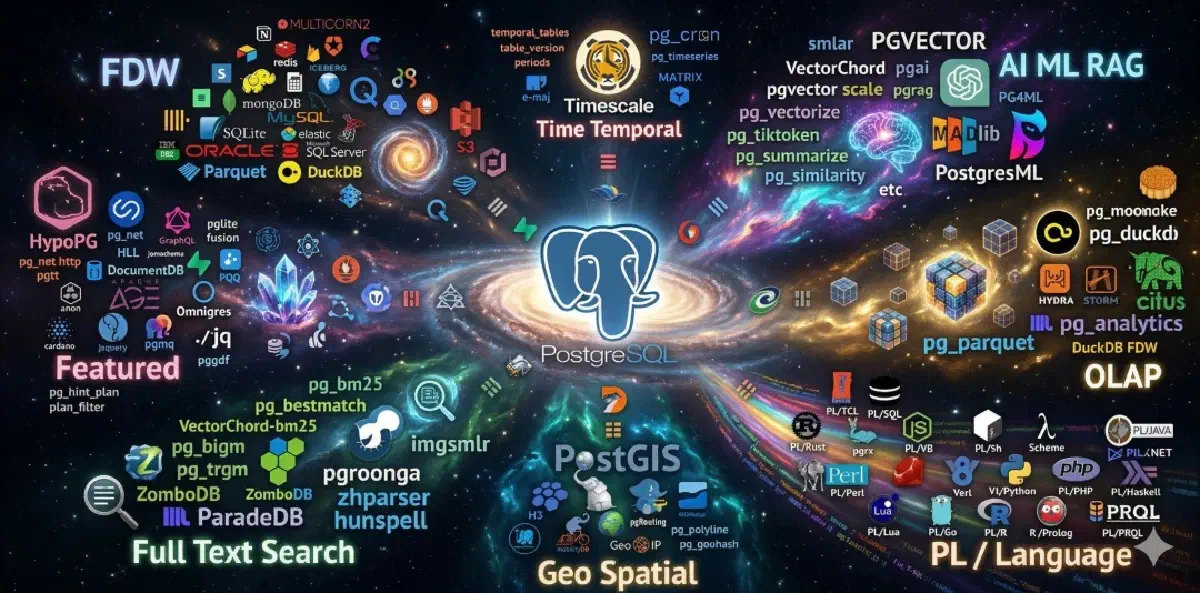

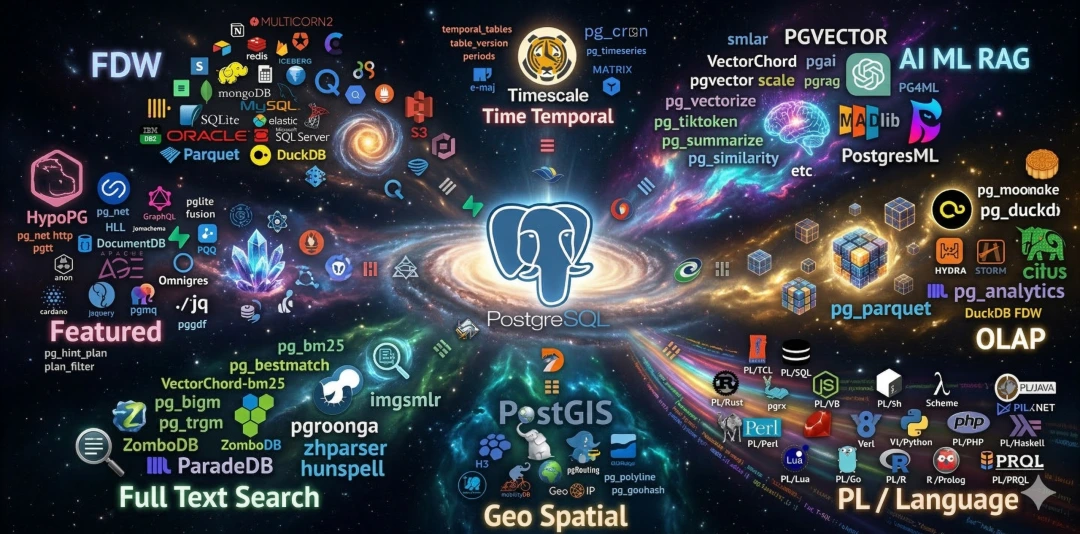
Extensions are the soul of PostgreSQL. Without them, PostgreSQL is just a very good relational database. With them, it becomes a platform that can swallow entire categories of database workloads.
The problem is that the extension ecosystem has long been awkward to use. People struggle to find extensions, understand them, and install them. You search GitHub for README files, check PGXN for packages, and then wrestle with OS and PG version compatibility by hand.
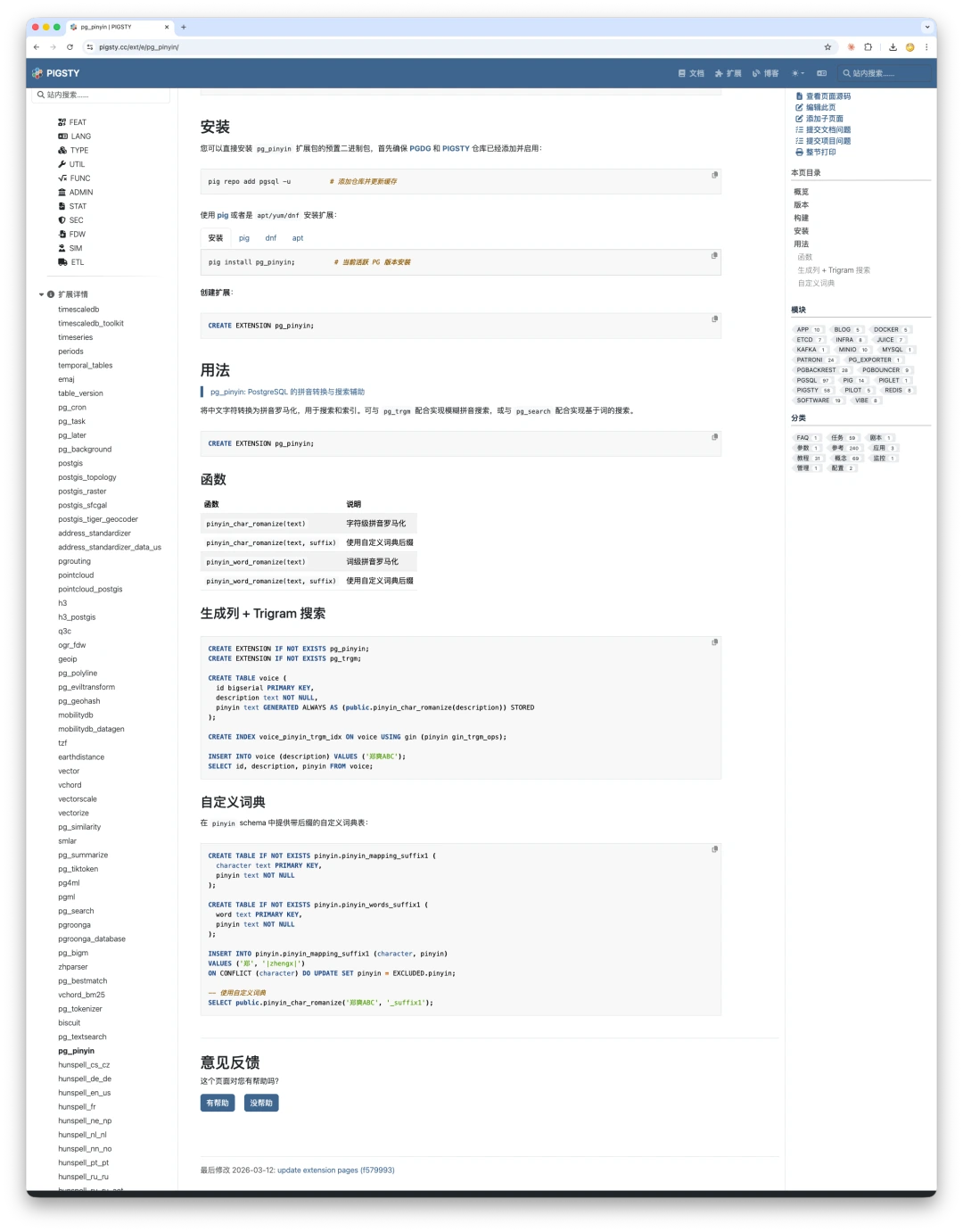
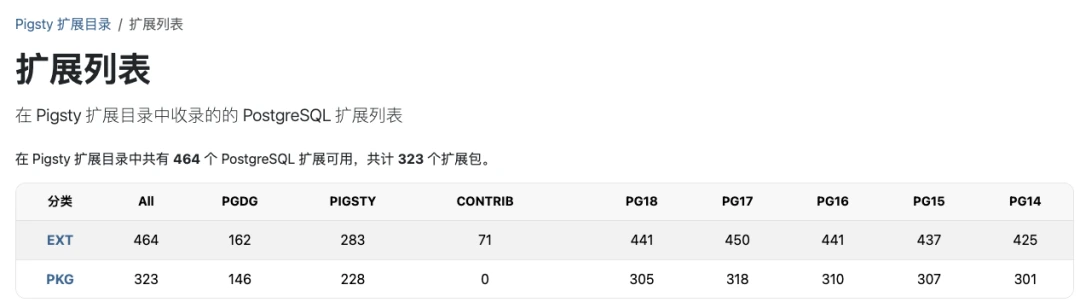
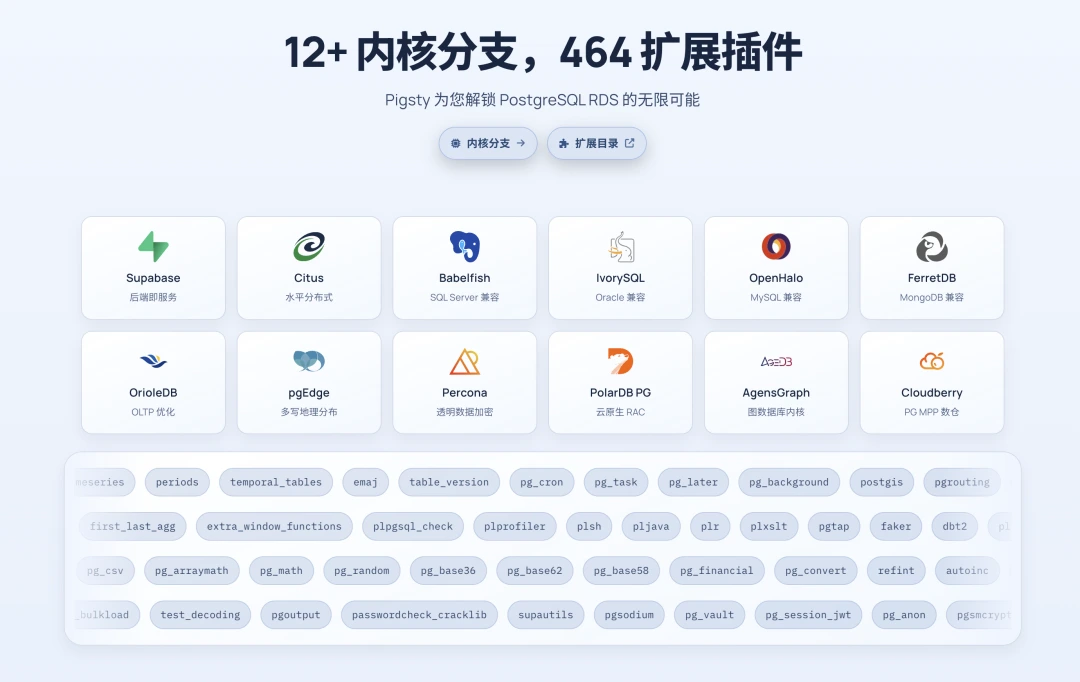
So I built something different: an encyclopedia for 464 PostgreSQL extensions, each one with a full profile, plus a real binary repository behind it.
Not just a list #
There is no shortage of extension lists on the internet. What is usually missing is operational detail.
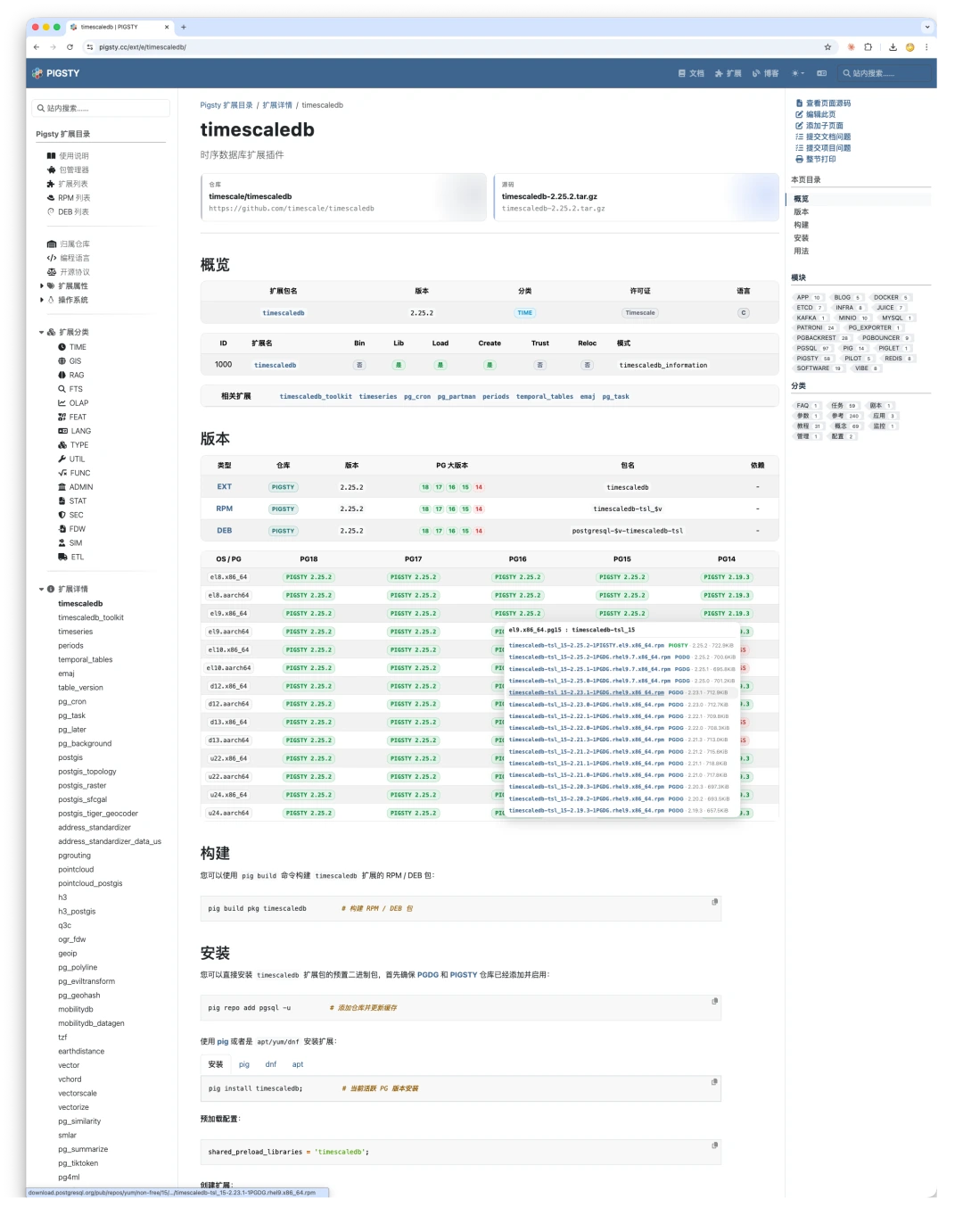
On each extension page, you can directly see:
- Basic metadata: version, category, language, license, repository, source download.
- Extension properties: preload requirement, DDL presence, trust, relocatability, target schema.
- Version and packaging data: supported PG majors, RPM/DEB names.
- Platform matrix: which packages exist for which OS and architecture combinations.
- Install commands: ready-to-copy commands for
pig,dnf, andapt. - Relationships: dependencies, conflicts, and related extensions.
We also aggregated 460+ extension docs so people can browse a large portion of the PG extension world in one place.
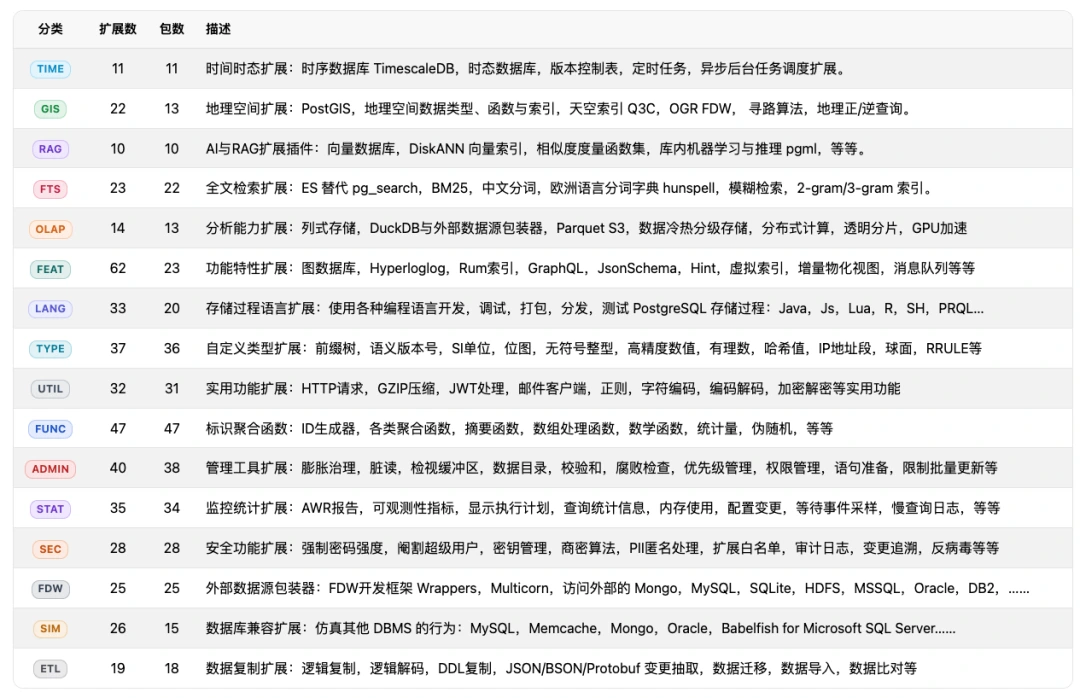
464 extensions, 16 categories #
The catalog is split into 16 major categories. If you have heard that PostgreSQL can behave like a time-series database, vector database, graph database, document store, or even emulate Oracle and SQL Server semantics, this is where you can see which extensions actually make those claims real.
Multiple ways to browse #
You can explore the catalog from multiple angles:
By repository origin #
Extensions are grouped into PGDG, PIGSTY, and CONTRIB.

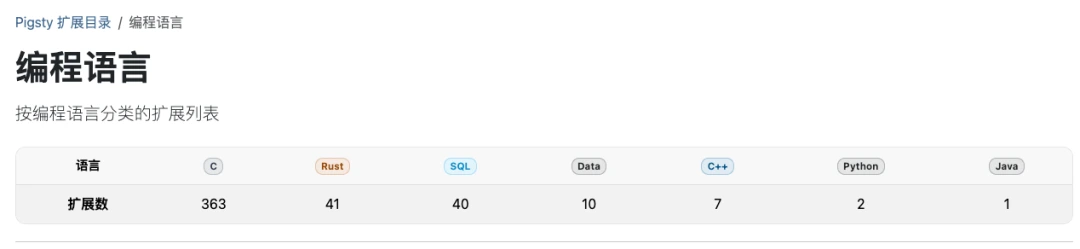
By implementation language #
You can see how much of the ecosystem is written in C, C++, Rust, Java, Python, SQL, or plain data files.
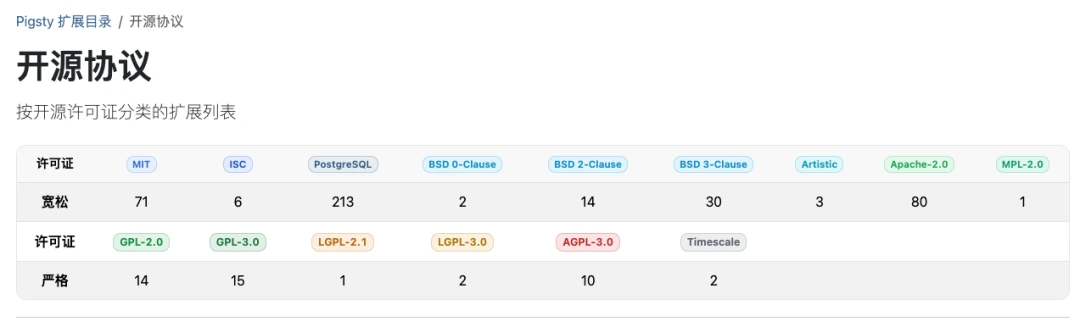
By license #
MIT, Apache 2.0, PostgreSQL, BSD, GPL, AGPL, Timescale License: all of them matter in real-world adoption.
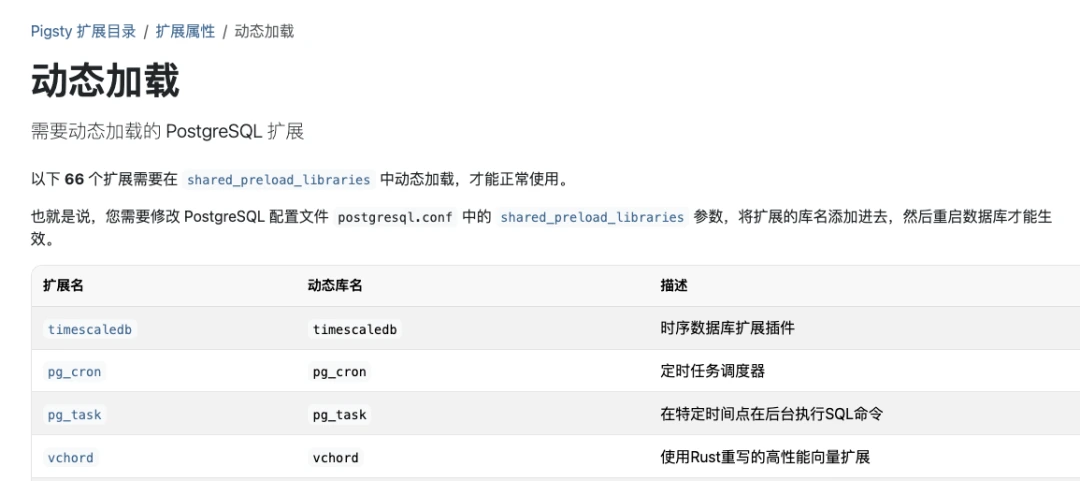
By extension properties #
Need shared_preload_libraries? Contains no SQL DDL? Conflicts with something else? Packages multiple extensions together? The directory makes those traits visible.
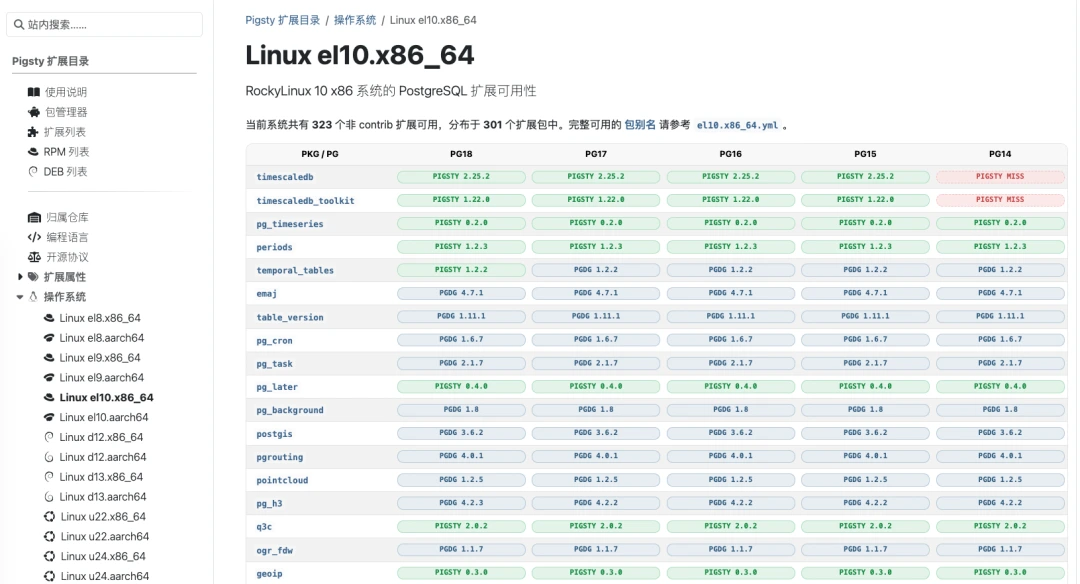
By platform #
At the OS and CPU level, you can see exactly which extensions are available and which are not.
The full stack: directory + repo + package manager #
The catalog only makes sense because it sits on top of real infrastructure:
- Directory: what exists, what it does, whether it is available.
- Binary repository: prebuilt RPM/DEB packages distributed through CDN.
pigpackage manager: one command to install across different OS and PG versions.
Together, they turn discovery, evaluation, installation, and use into a single workflow.
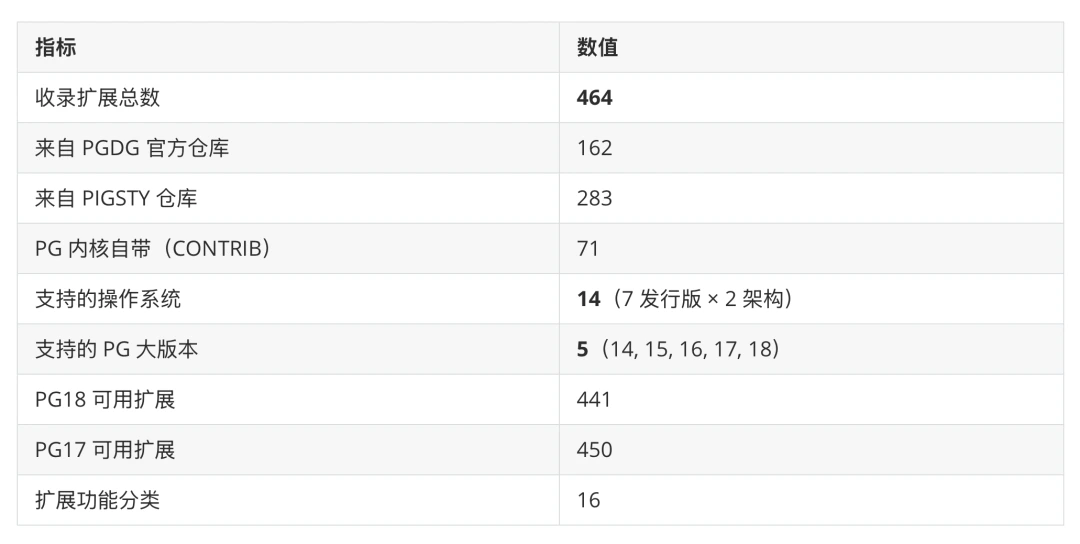
A few numbers #
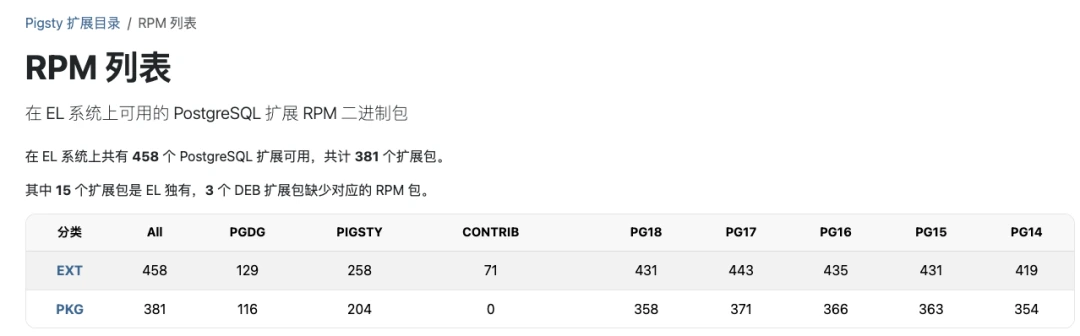
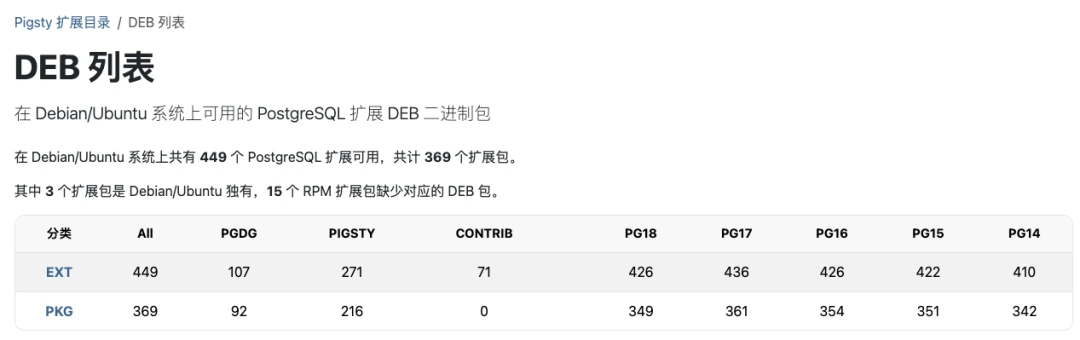
Why build this? #
At a glance, this looks like a documentation site. In practice, it is infrastructure for the PostgreSQL extension ecosystem.
Too many good extensions die in obscurity because the path from “I heard this exists” to “I installed it successfully” is still too painful. That friction pushes people toward worse alternatives.
My goal is simple: come here, see what exists, pick what you want, copy one command, and use it.
How to use it #
If you already know your way around PostgreSQL and just want more packages beyond PGDG, add the Pigsty APT/DNF repository:
curl -fsSL https://repo.pigsty.cc/pig | bash
pig repo add pigsty pgdg -u
pig install <extension>
If you want the full experience, use the Pigsty PostgreSQL distribution:
curl -fsSL https://repo.pigsty.cc/get | bash
cd ~/pigsty
./configure -c rich
./deploy.yml
Fully open source #
The website and the metadata itself are open source. If you want a copy or want to reuse the data, the source lives in pgsty/pgext.
Bonus #
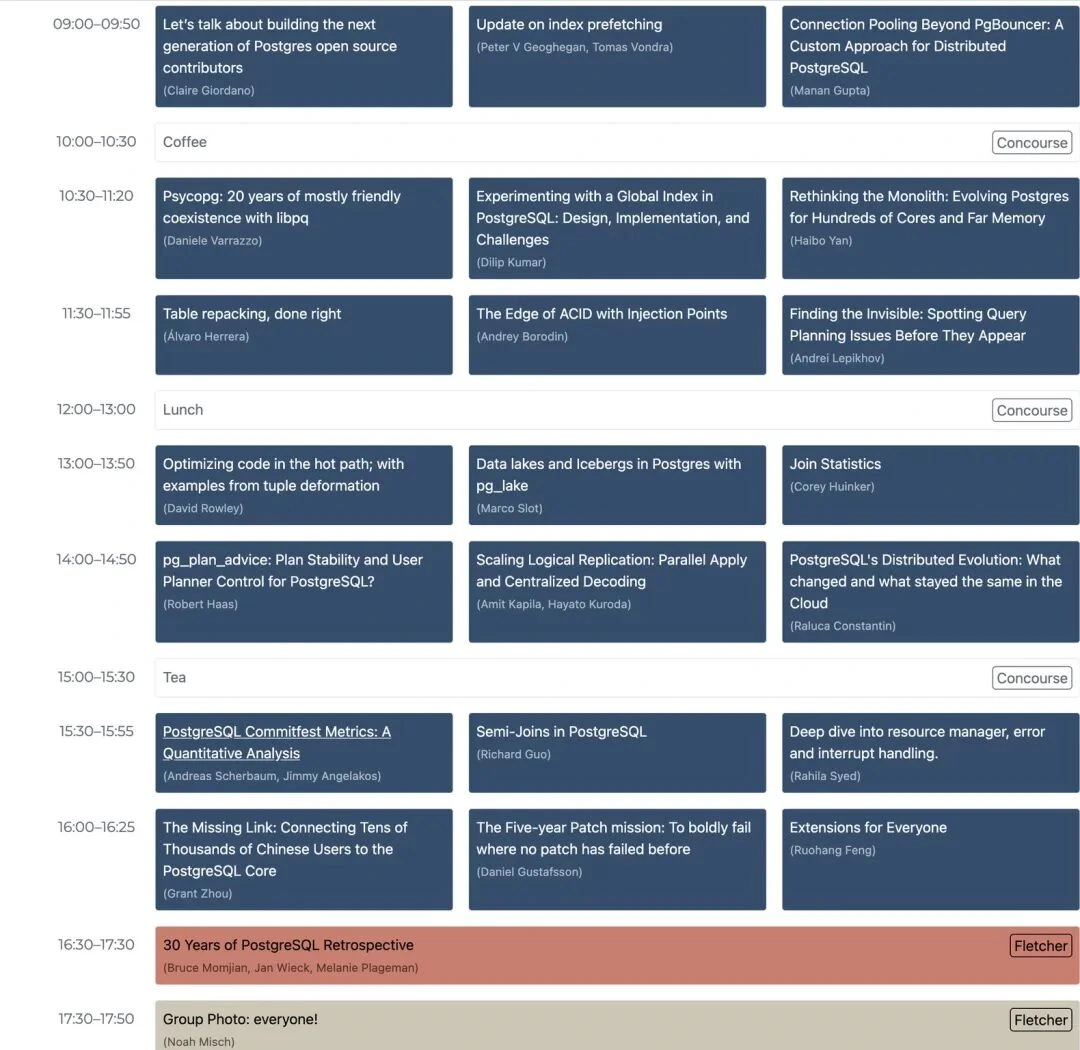
The original post also included a related conference poster, so I kept it here as well.
Bottom line #
Extensions are the soul of PostgreSQL, and this directory is an index to that soul.
Four hundred and sixty-four extensions. Sixteen categories. Fourteen operating systems. Five PG major versions. Bilingual docs, metadata, package links, and install commands in one place.