
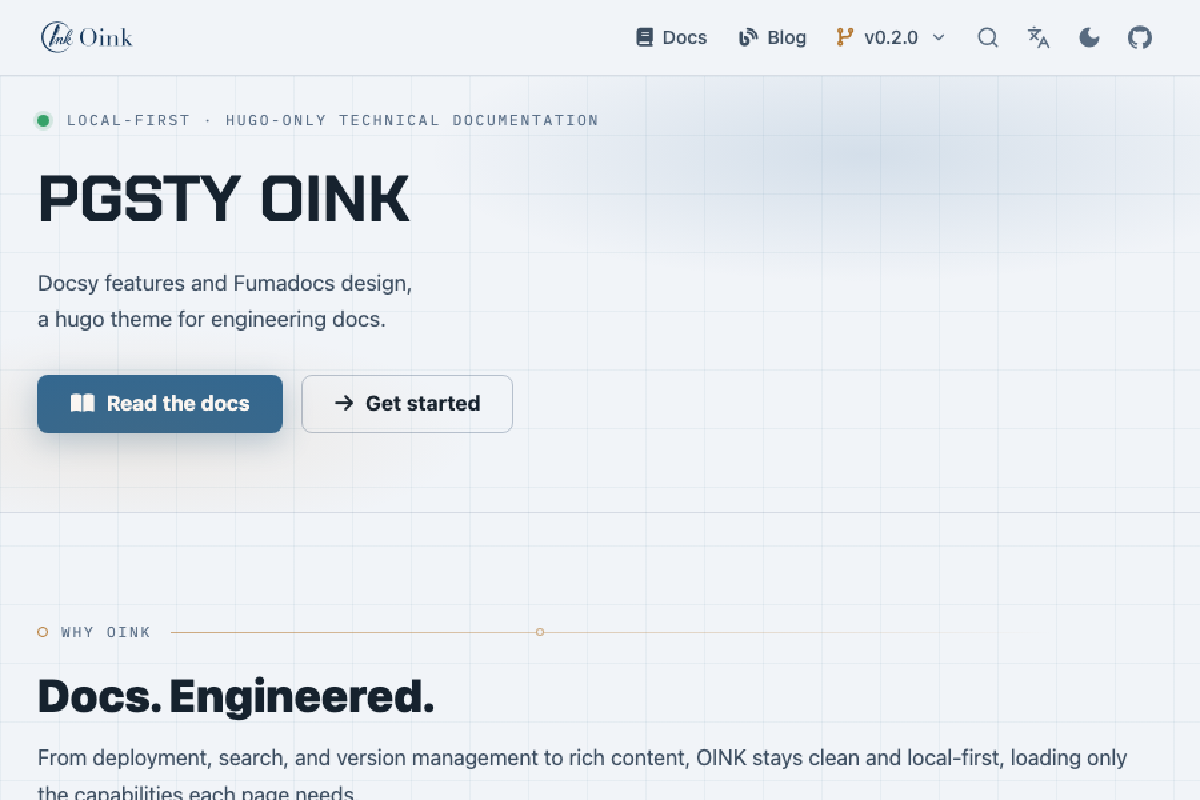

Building a documentation site is not hard. The hard part is keeping it useful five years later.
At first, you only want to put a few Markdown files online.
Then the requirements start growing on their own: full-text search, dark mode, multiple languages, multiple versions, API documentation, flowcharts, terminal recordings, mobile support, SEO, RSS, comments, analytics, print output…
By the time you look up again, you are maintaining a frontend project: Node.js, npm, PostCSS, dozens of dependencies, and a pile of CDN links that could stop working at any moment.
Documentation is supposed to reduce a project’s maintenance cost. Instead, it becomes yet another project to maintain.
That is why I built OINK.
1. Six Years, Eight Approaches, Not One I Liked#
I have spent more than my share of time on documentation frameworks. Documentation is the storefront of an open-source project: users often see the docs before they download the software. You can argue that appearances do not matter, but you cannot let the storefront look bad.
The list of options I tried reads like an archaeological record:
- Docsy: the most comprehensive option, a theme framework built on Hugo by Google. Many well-known cloud-native projects use it; it is practically the standard choice for CNCF projects. I used it five or six years ago when I first built Pigsty’s documentation site.
- Docsify: pure JavaScript plus Markdown, so lightweight that there is almost no build step. The tradeoff is weaker SEO and a worse initial load.
- Docusaurus: the standard choice in the React ecosystem, with a complete feature set. You also inherit an entire Node.js project.
- Hugo + Hextra: fast, simple, and fine for a small site, but it falls short for a large engineering documentation project.
- Documentation SaaS products such as Mintlify: polished, well designed, and convenient—but hardly cheap. Your documentation also lives in someone else’s hands, with no option for offline delivery.
- Next.js + Fumadocs: excellent frontend polish, close to Mintlify. But full-text search is slow, builds are slow, content uses MDX rather than plain Markdown, producing a purely static site takes considerable effort, and the whole thing depends on a large Node.js and Next.js stack.
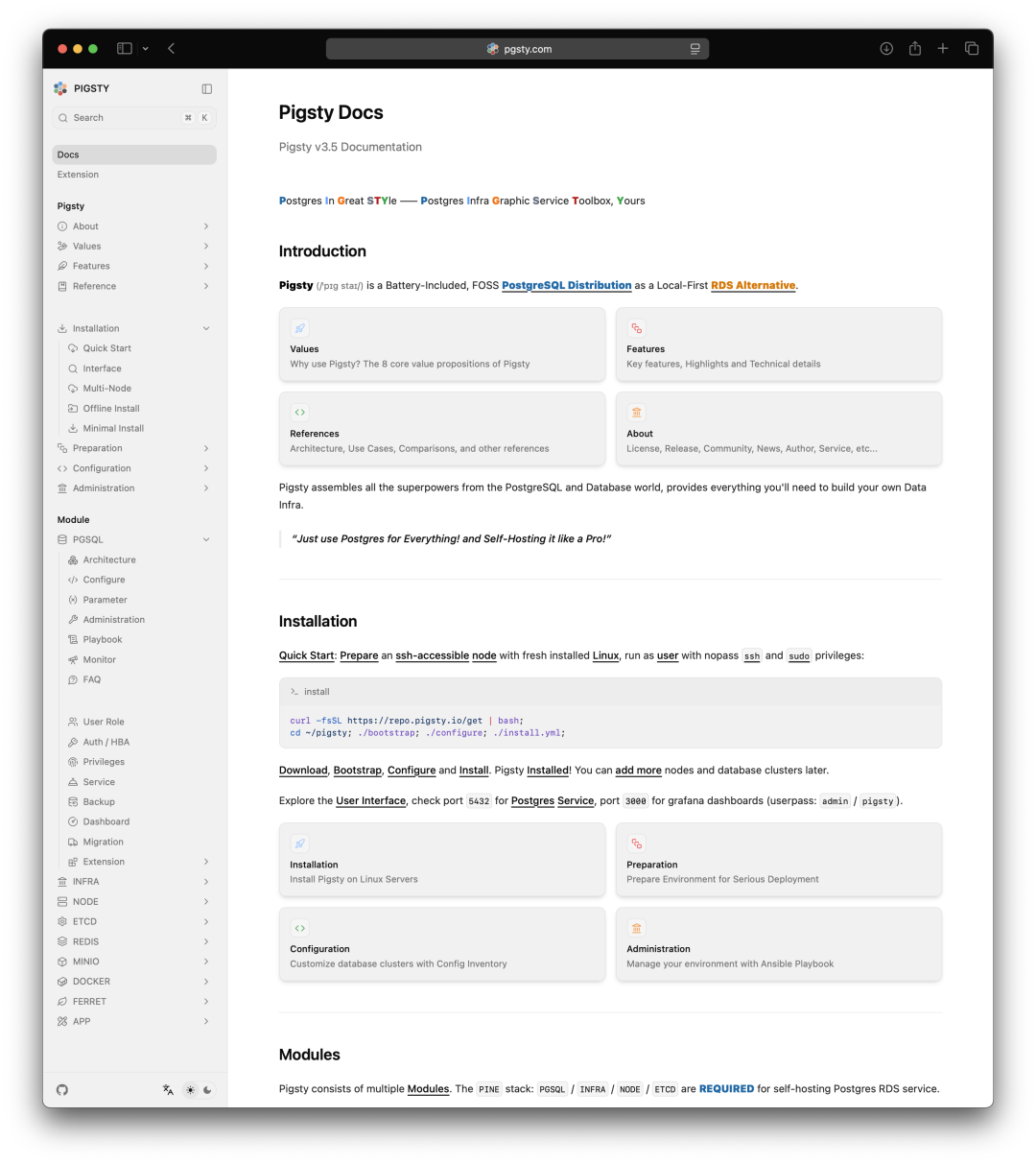
I tried plenty of other options too: Jekyll in Ruby, Sphinx and Pelican in Python, and even a homegrown version built with Editor.js. Many had distinctive strengths, but none truly satisfied me. I went around in circles and burned a great deal of time with little to show for it.
After several laps, I ended up back where I started: Docsy. It has the most complete feature set—navigation, editing, printing, blogs, multiple languages and versions, SEO, full-text search, and offline delivery.
But it also has two drawbacks: it is ugly, and it has far too many dependencies.
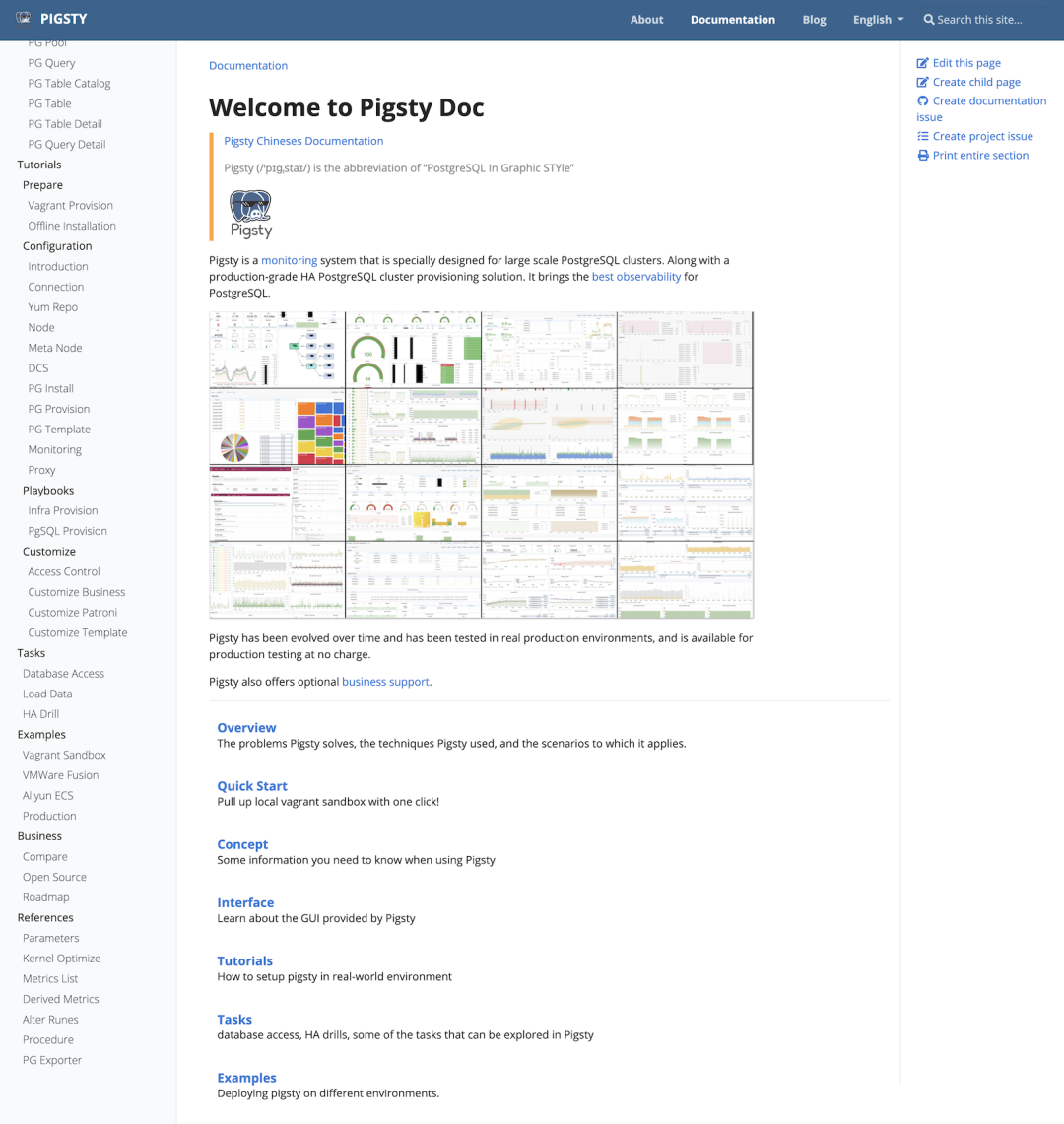
To support all those features on Hugo, Docsy bolts on an entire frontend toolchain: npm, the whole node_modules universe, PostCSS to preprocess SCSS, and Autoprefixer. Hugo’s original appeal is that one binary is all you need. Add this stack, and building, previewing, and maintaining the site all become more complicated.
You cannot even have Cloudflare Pages build the site automatically. You have to complete the build in GitHub Actions first—all for a static documentation site.
That left me in an awkward position: the best-looking options were missing important pieces, while the most capable one was ugly and cumbersome.
So why not write my own?
Because I genuinely did not have the time. Frontend work devours time and energy, and it has little to do with my day job. I am a database veteran, not a frontend engineer. Wrestling with CSS and JavaScript for a documentation theme never made economic sense. I ran the numbers for six years; they never worked.
2. Until Frontend Delivery Became an On-Demand Commodity#
Starting last month, the math suddenly changed.
Top-tier frontend design and implementation became a general-purpose commodity, metered by the token. I no longer need to become a frontend engineer. I only need to know exactly what I want—and after six years of thinking about it, I do.
For the first time, I could almost wish it into existence:
Give me Docsy’s complete feature set, graft on the frontend polish of Fumadocs and Nextra, add the capabilities engineering documentation actually needs, and throw out the mess of dependencies—a clean Hugo Extended binary should be all it takes to build and run the site.
To be honest, I built this with help from Codex and other AI tools. But this was not vibe coding for a throwaway side project: AI did not invent the need. The need had been sitting there for six years. What AI did was dramatically lower the threshold at which the project became worth doing.
A few days ago, someone asked what I had to show for seven AI subscriptions and all the tokens they burn every day.
This is one result. The entire framework, plus six or seven documentation sites, took only two or three days from start to finish. In fact, I had so many bigger jobs on my plate that I never found time to write this article until now.
3. Why OINK?#
OINK is, of course, the sound a pig makes.
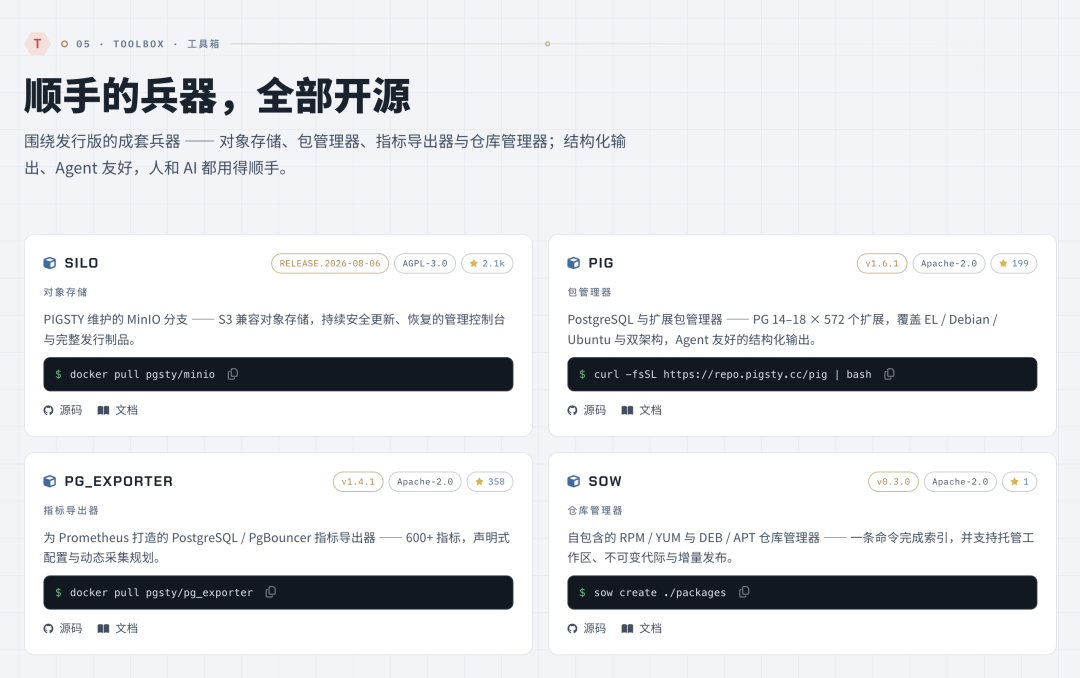
My main open-source project is called Pigsty—a pigsty. The components that have grown around it over the past two years all have pig-related names:
- Pig — the package manager, a piglet;
- Sow — the repository manager, both a female pig and a verb meaning to plant seeds;
- Boar — the graphical management platform, a wild pig;
- Silo — object storage, the grain silo on a farm.
The pigsty already had three pigs. I could hardly drag in another for the documentation project, so I let the existing pigs oink instead: OINK is how their content gets out.
There is another pun inside the name: OINK contains ink, which suits a documentation project nicely.
For a more serious explanation, the four letters even make a respectable acronym:
Open · Indexed · Navigable · Knowledge
Open, indexed, navigable knowledge.
4. What I Cut: Downstream Sites Need Only Hugo#
OINK’s most important design decision was to shrink the build boundary for downstream sites to Hugo Extended.
A production build takes one command:
hugoNo npm install, no PostCSS, no node_modules, and no need to fetch runtimes from public CDNs during the build.
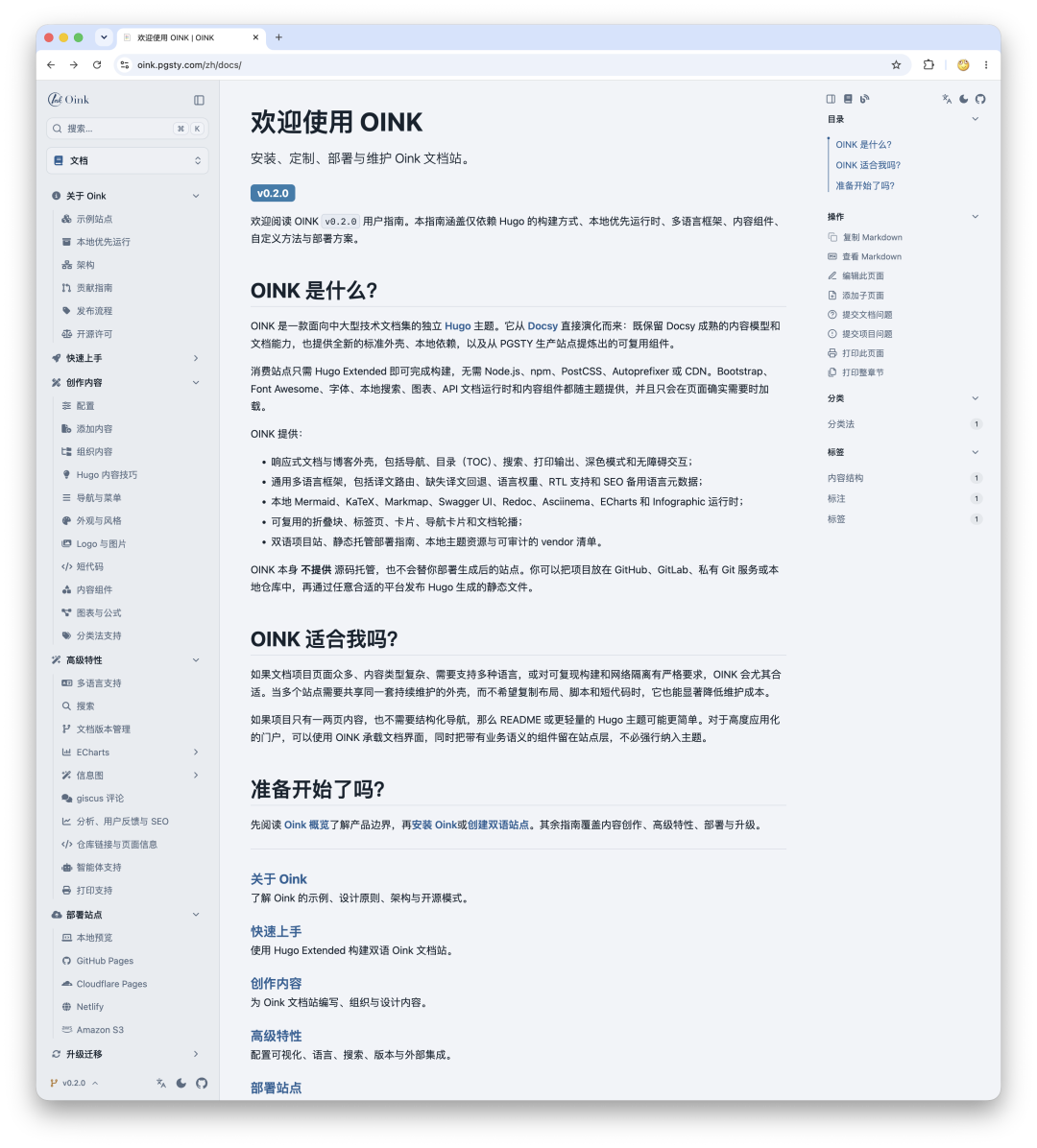
Bootstrap, Font Awesome, fonts, Lunr search, Mermaid, KaTeX, Markmap, Swagger UI, Redoc, Asciinema, ECharts, and AntV Infographic all ship locally with the theme source.
The benefits are straightforward: reproducible builds, an auditable supply chain, and easy deployment to intranets and network-isolated environments. When I distribute offline documentation, it must remain readable and searchable without an internet connection. For me, that is a requirement, not a bonus.
Once you have the complete theme, Hugo compiles the content, configuration, layouts, and assets into a public/ directory in one pass. You can then host it on object storage, GitHub Pages, Cloudflare Pages, Nginx, or an internal file server. The hosting layer does not need to know what OINK is.
5. What I Added: A Modern Documentation Shell#
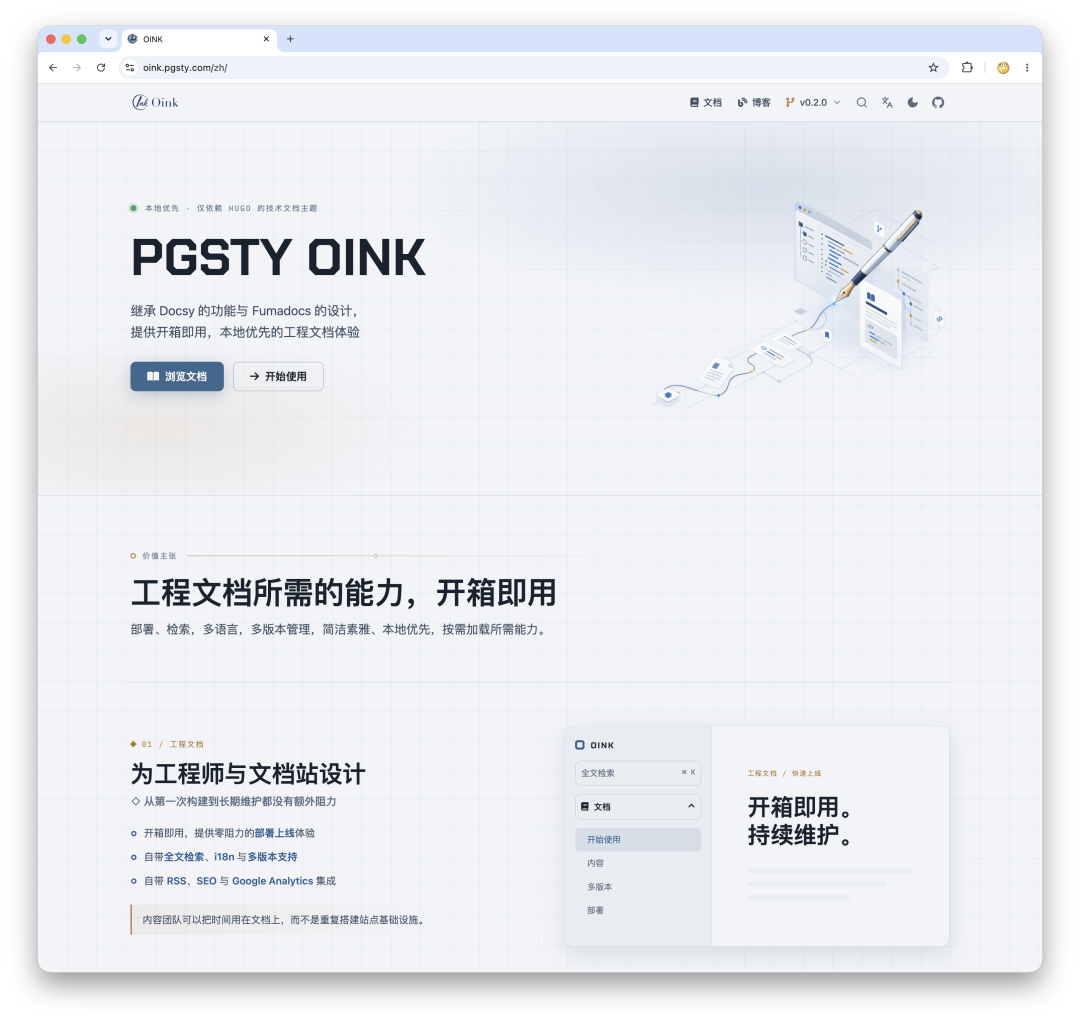
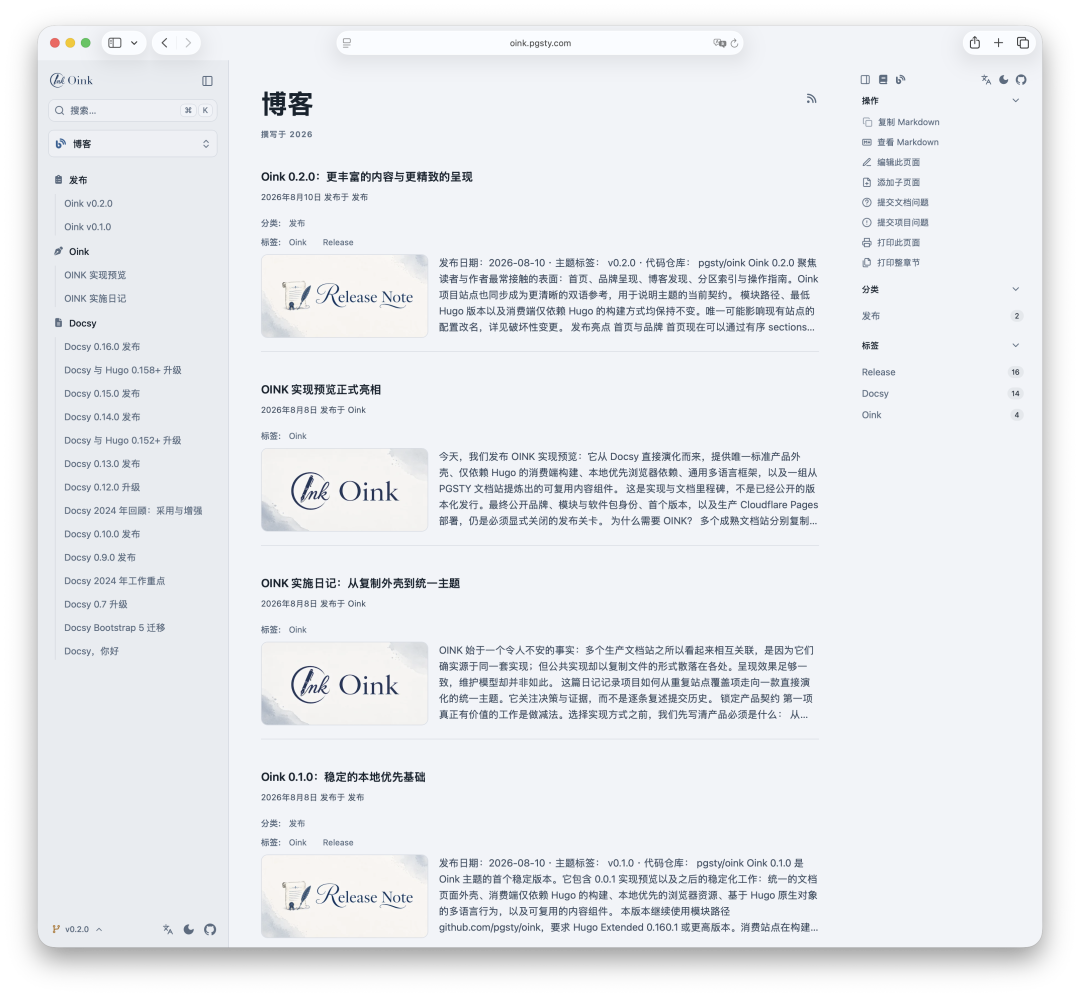
Traditional Hugo themes often feel usable but a decade out of date. OINK keeps Hugo’s simple delivery model while adding what a modern documentation product should provide:
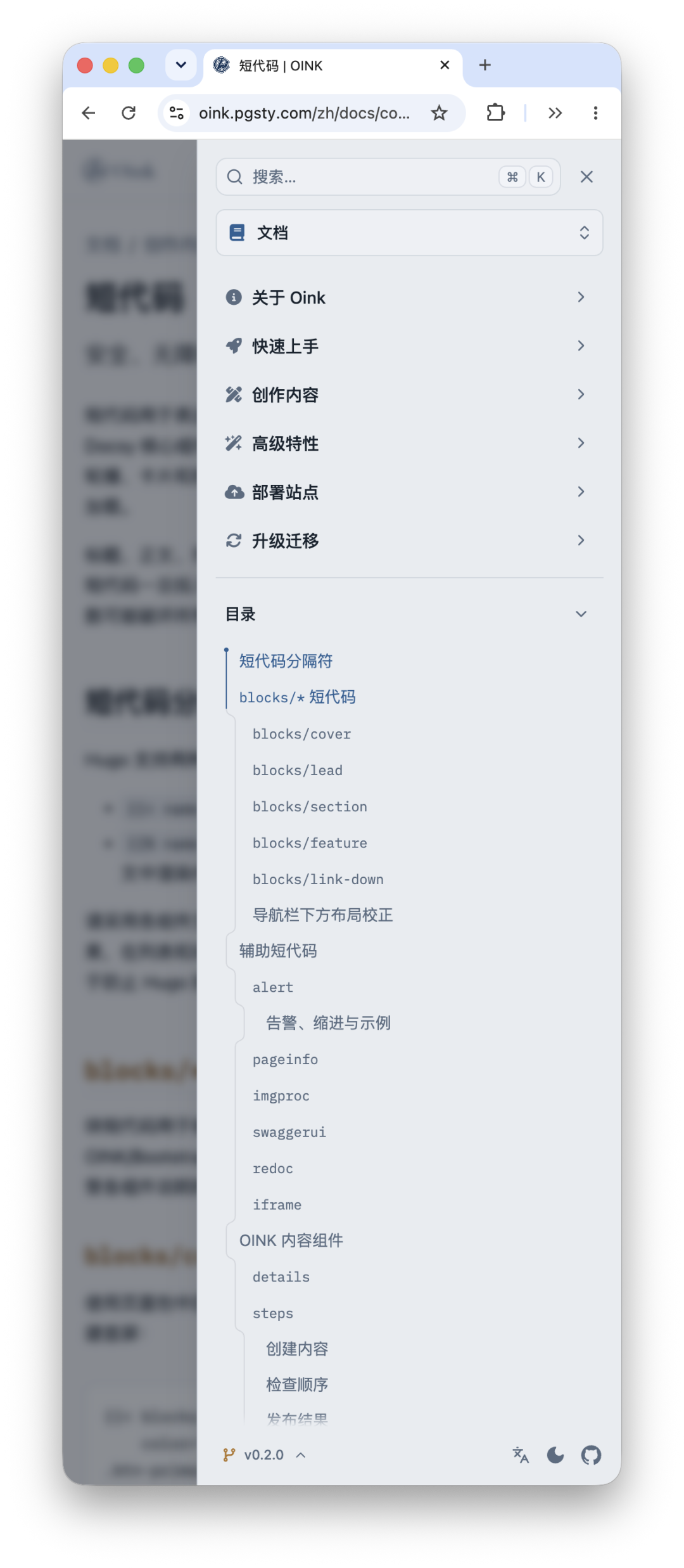
- Global navigation, breadcrumbs, and a collapsible, resizable sidebar;
- An in-page table of contents, reading metadata, previous and next navigation, and edit and feedback links;
- Light and dark modes, a version selector, print view, and a mobile action panel;
- RSS, SEO, canonical URLs,
hreflang, and Open Graph metadata; - Local full-text search (
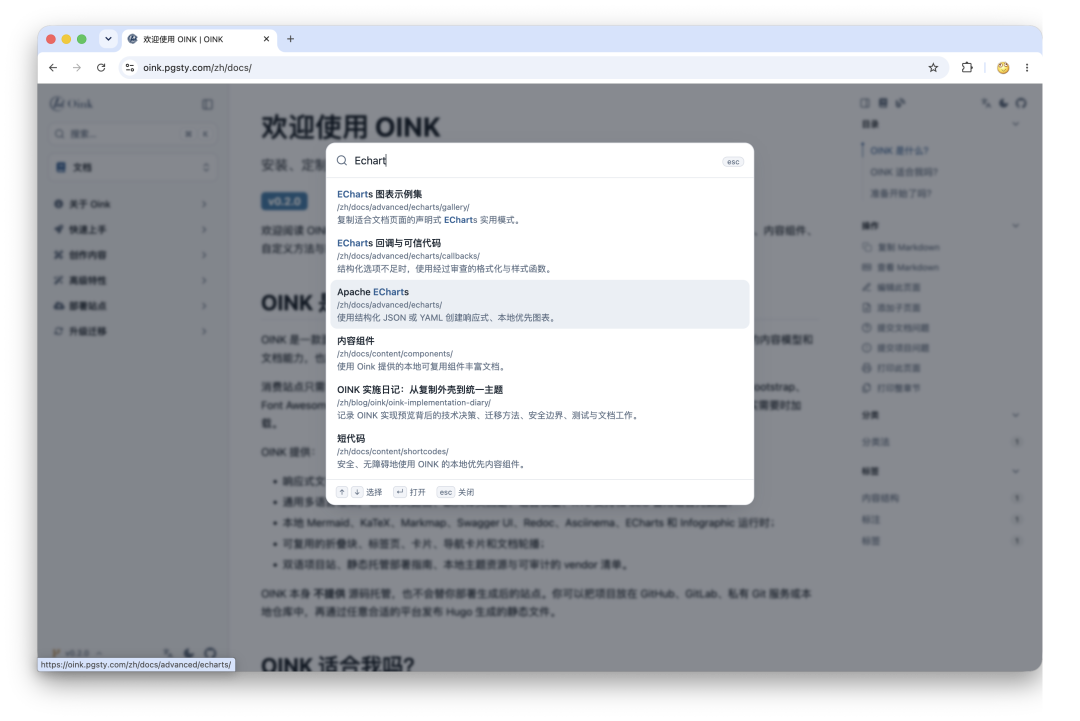
⌘K), plus optional Algolia and Google-hosted search; - Blogs, categories, tags, comments, featured images, and multilingual information architecture.
With OINK 0.2.0, the homepage is no longer an HTML template that must be copied before it can be changed. It provides 12 composable sections: Hero, metrics, feature narratives, principles, cards, a logo wall, gallery, testimonials, contributors, FAQ, free-form Markdown, and CTA. A site can rearrange, reuse, or remove homepage modules simply by declaring their order and content in data/home/<language>.yaml.
This boundary matters: configuration should express what a site wants, not expose how the theme assembles it internally.
One optimization deserves a special mention. Once a site grows large, its full-text search index can reach tens of megabytes. One of my sites used to transfer more than 800 GB a month, and the index accounted for more than half of it. The homepage no longer downloads it; the index is first loaded only when a user actually opens search. The bandwidth bill and the user experience, for once, improve in the same direction.
6. Engineering Content Should Not Be Reduced to Screenshots#
Engineering documentation contains more than prose and code blocks.
A database or infrastructure project often needs terminal demos, architecture and sequence diagrams, performance charts, mathematical formulas, API references, infographics, and interactive parameter guides. These capabilities used to be scattered among site-specific shortcodes, then copied and tweaked for each new project.
OINK turns the components that have proved broadly useful into stable authoring interfaces:
- Asciinema terminal recordings;
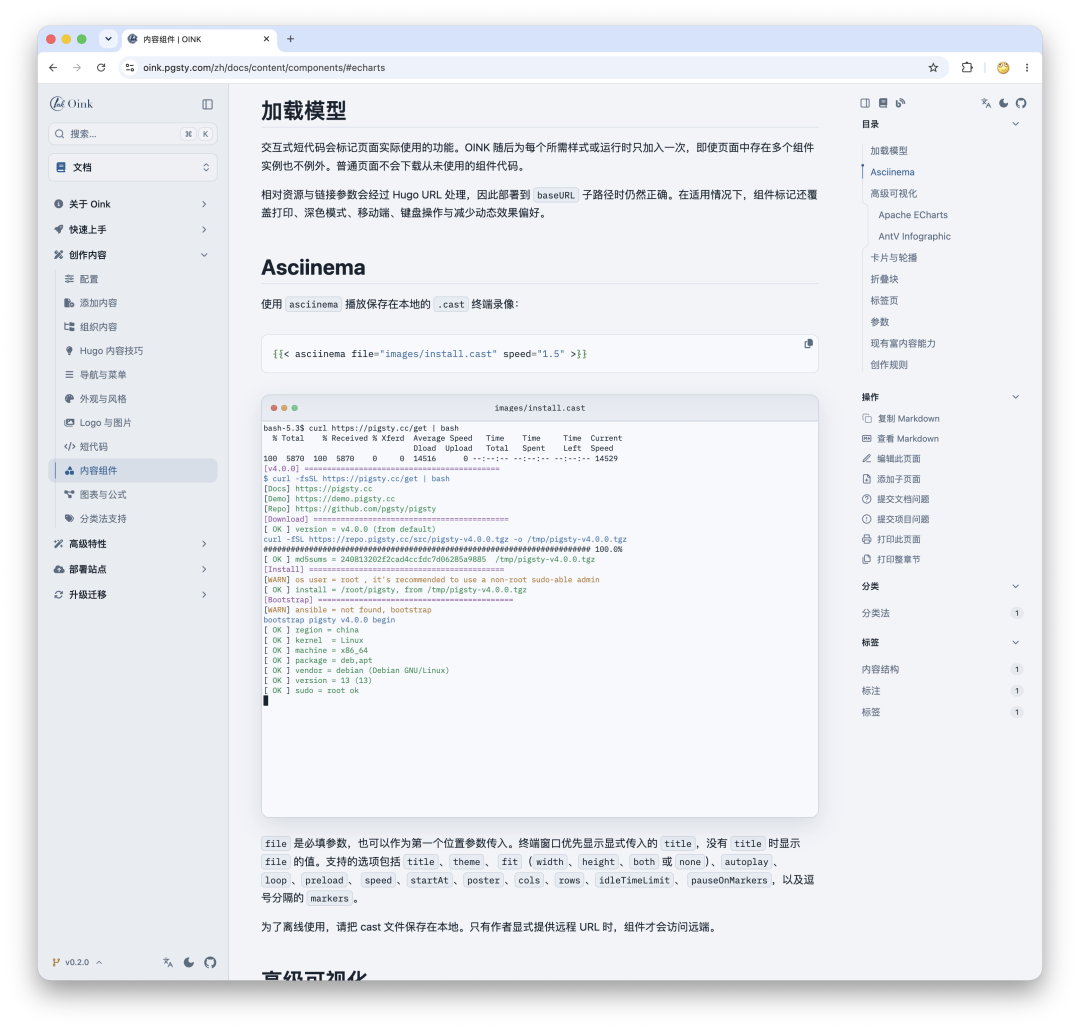
- Apache ECharts data visualizations and AntV Infographic diagrams;
- Mermaid, KaTeX, Markmap, PlantUML, and Diagrams.net;
- Swagger UI and Redoc API documentation;
- Steps, tabs, collapsible blocks, cards, card groups, and documentation carousels;
- The existing Docsy shortcodes:
alert,include,readfile,image, andblocks.
The comment system also lets readers sign in with a GitHub account.
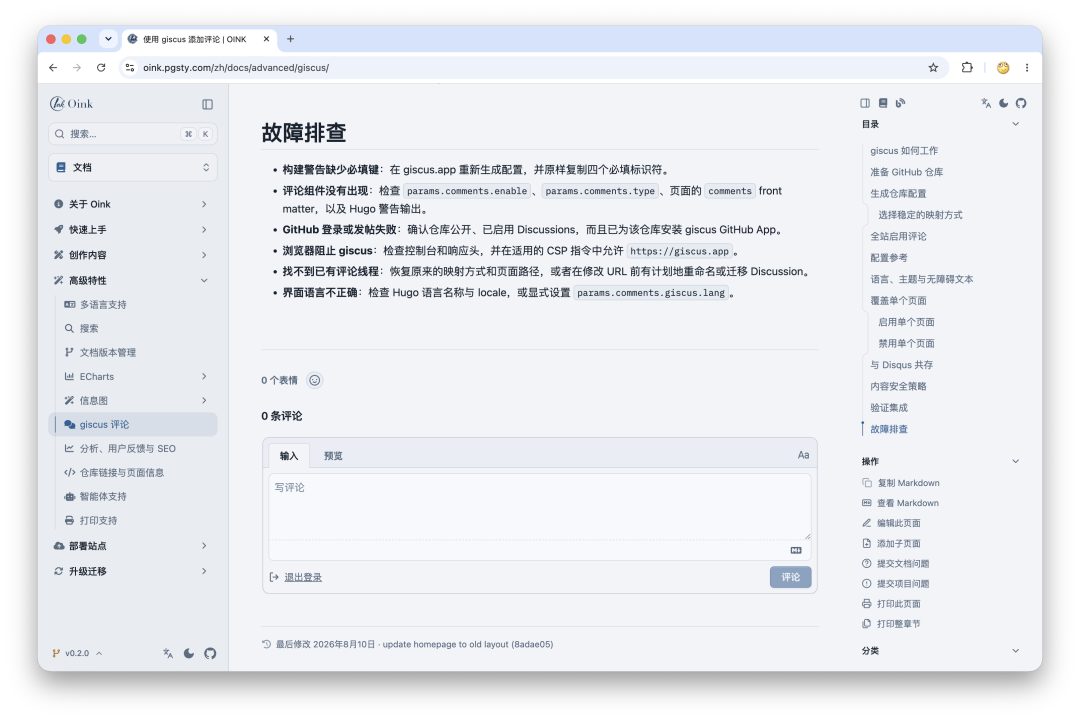
The key point is that OINK does not stuff an entire frontend runtime into every page. When a shortcode renders, it records its presence in Hugo’s page state, and the asset assembly stage checks that marker. Only pages that use ECharts load ECharts, and ten charts on one page still load it only once. A prose-only article does not load every runtime merely because the theme “supports many features.”
That is also what I mean by “feature-rich”: authors can reach for any capability when they need it, while readers pay the download cost only for what the current page actually uses.
7. Multilingual Does Not Mean Copying a /zh Directory#
OINK builds its language model directly on Hugo’s multilingual page objects. It does not guess the language from a domain name or a hard-coded URL.
With only one language, the language selector hides itself. With two or more, the button switches according to the configured language weights, while the full menu lists every language. If the current page has no translation in the target language, the link falls back to that language’s homepage instead of inventing a plausible-looking URL that returns a 404.
Each language gets an independent local search index, so English results do not leak into Chinese searches. HTML lang, text direction, canonical, hreflang, and Open Graph locale values all come from the same set of translation objects. This prevents the interface from switching to Chinese while the SEO metadata still claims the page is English.
8. Eating My Own Dog Food#
There is a cardinal sin in building a documentation framework: spending all your time on the scaffolding, only to have no content to put inside it. The real test is whether you use it yourself.
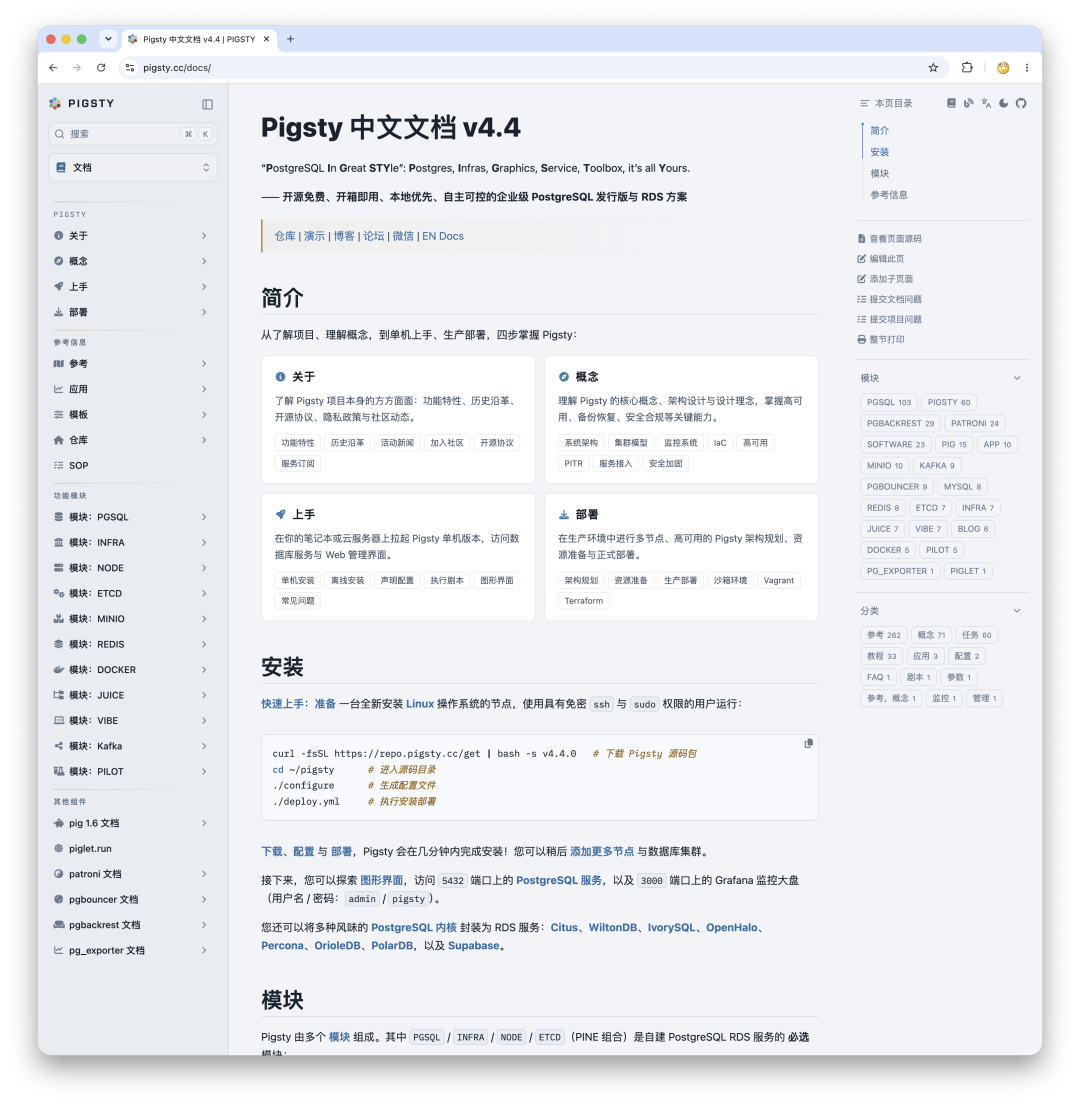
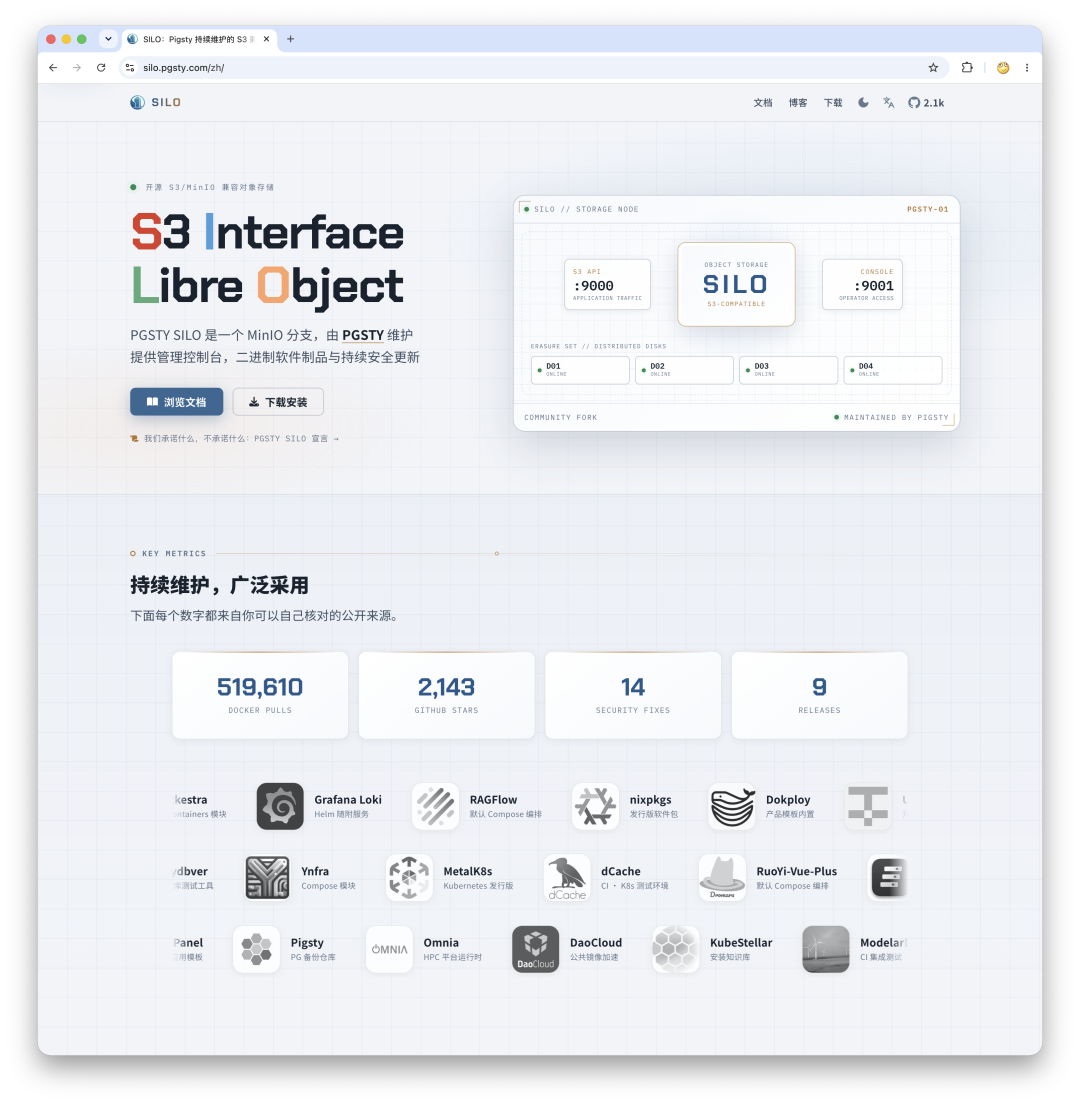
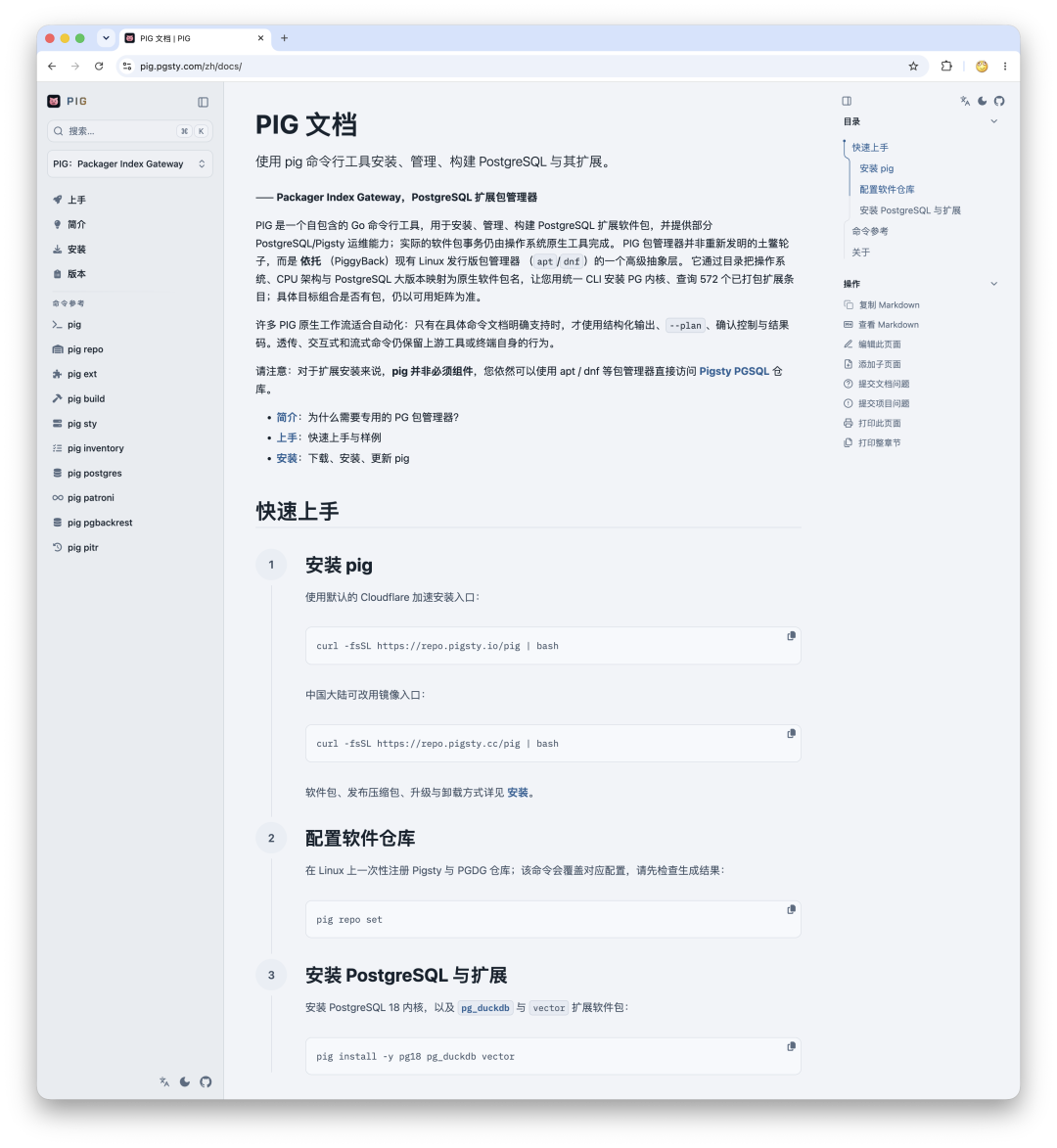
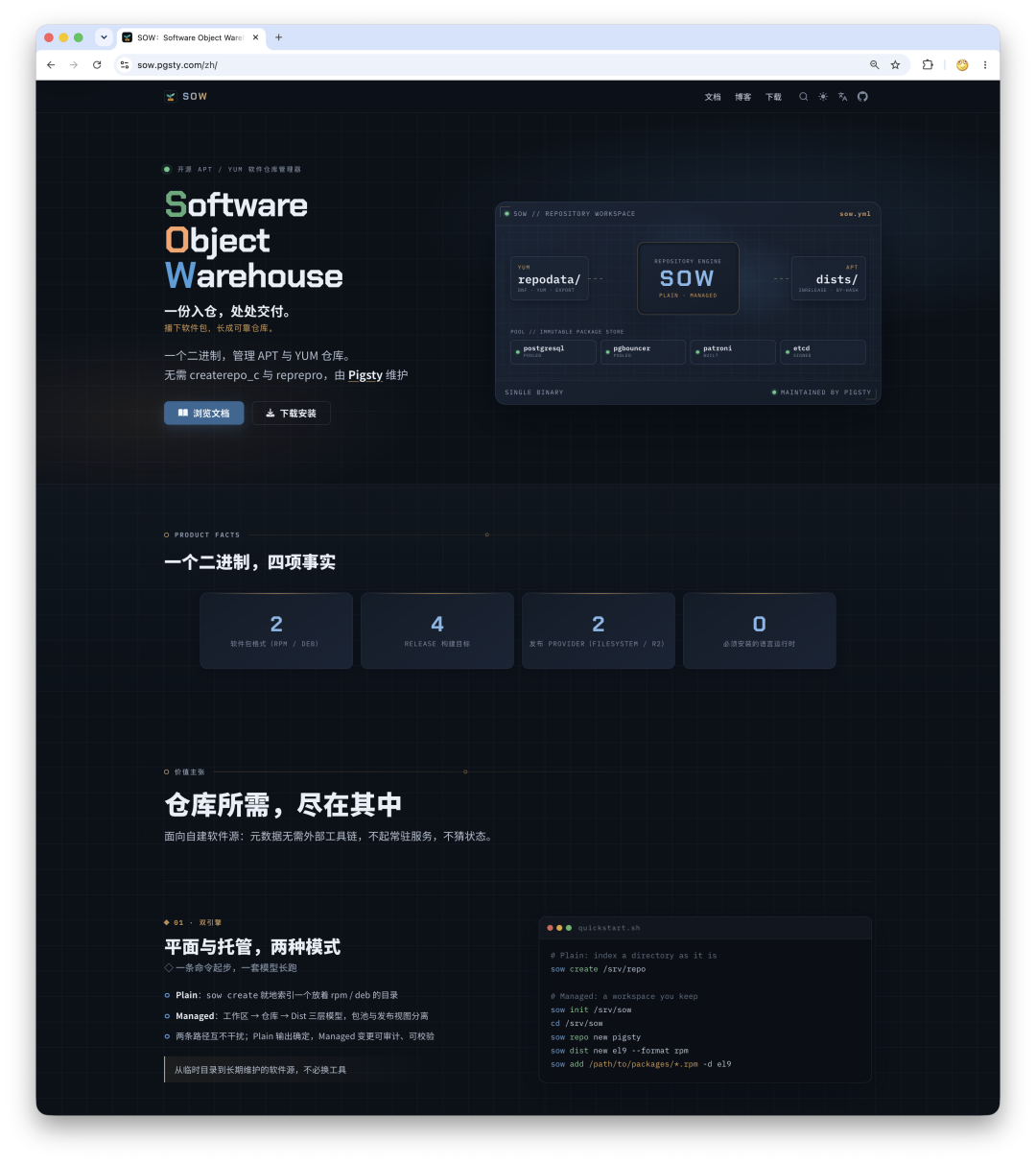
So I quickly moved all my sites onto OINK:
- pigsty.io / pigsty.cc — the English and Chinese sites for Pigsty, a PostgreSQL distribution, and currently the largest use case.
- silo.pgsty.com — the newly released Silo, a community fork of MinIO.
- pig.pgsty.com — the PostgreSQL package manager for installing extensions.
- sow.pgsty.com — the APT / DNF repository manager, naturally paired with Pig.
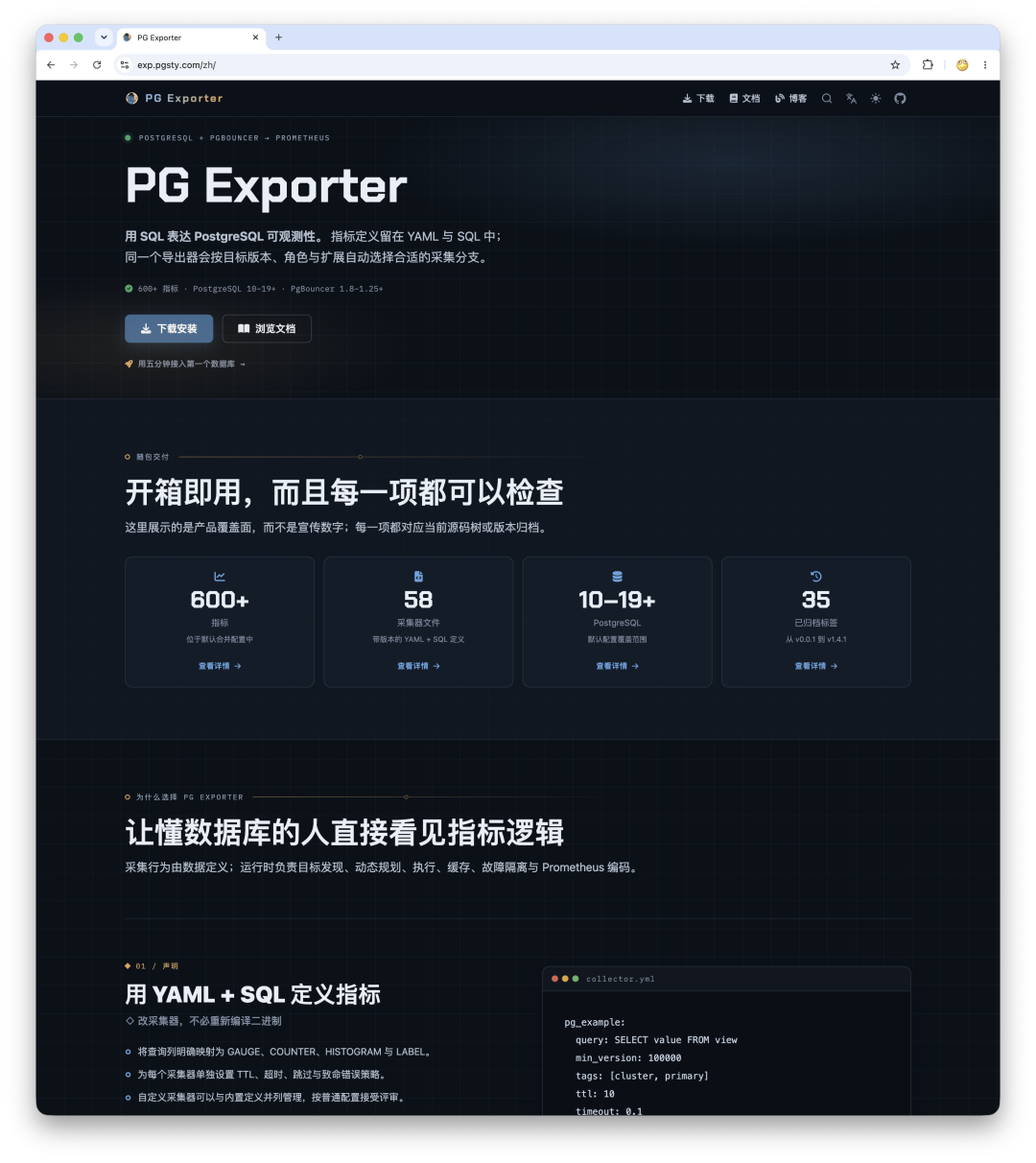
- exp.pgsty.com — PG Exporter, a project I built long ago that finally has a site of its own.
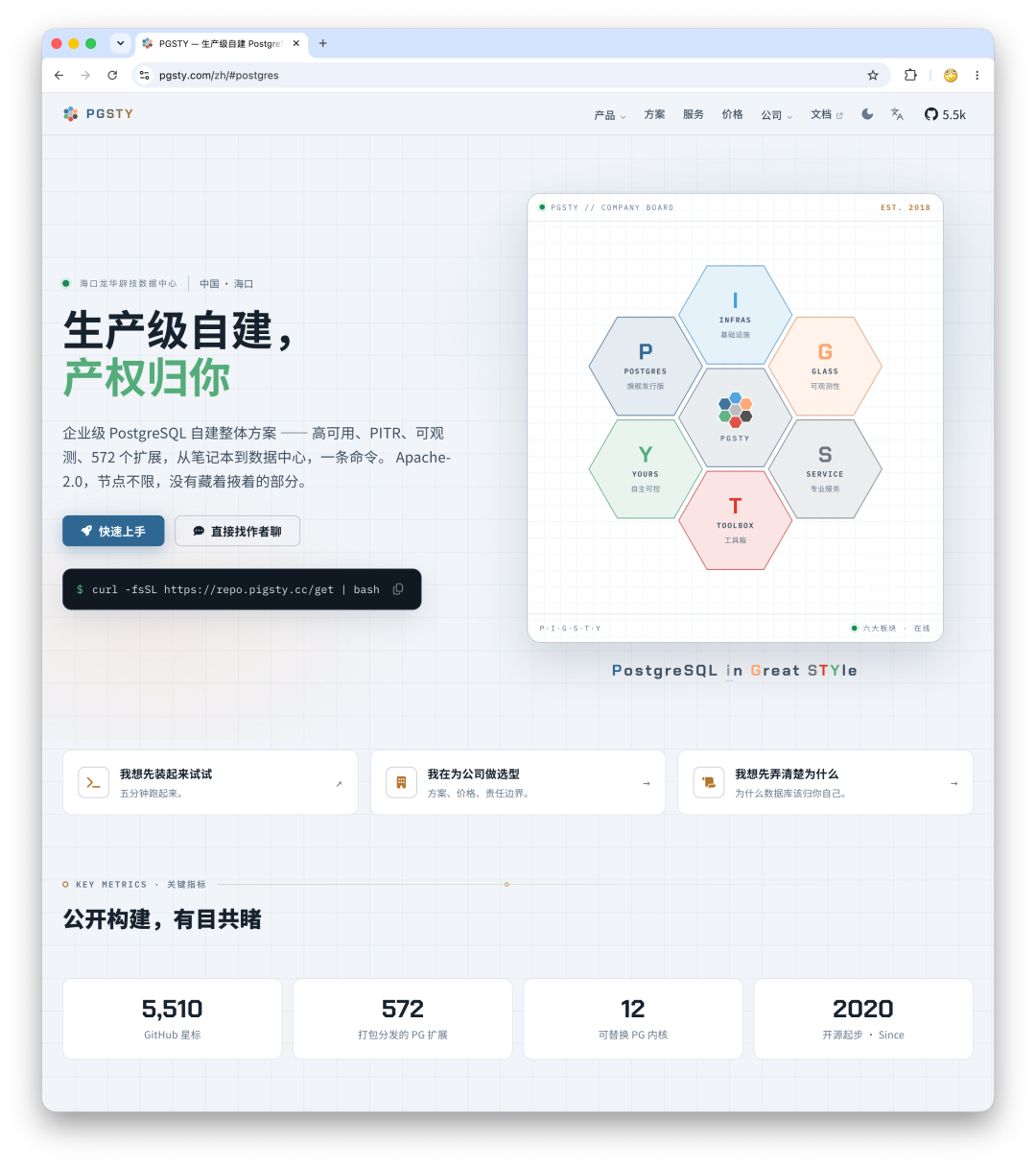
- pgsty.com — the homepage for the GitHub organization and company.
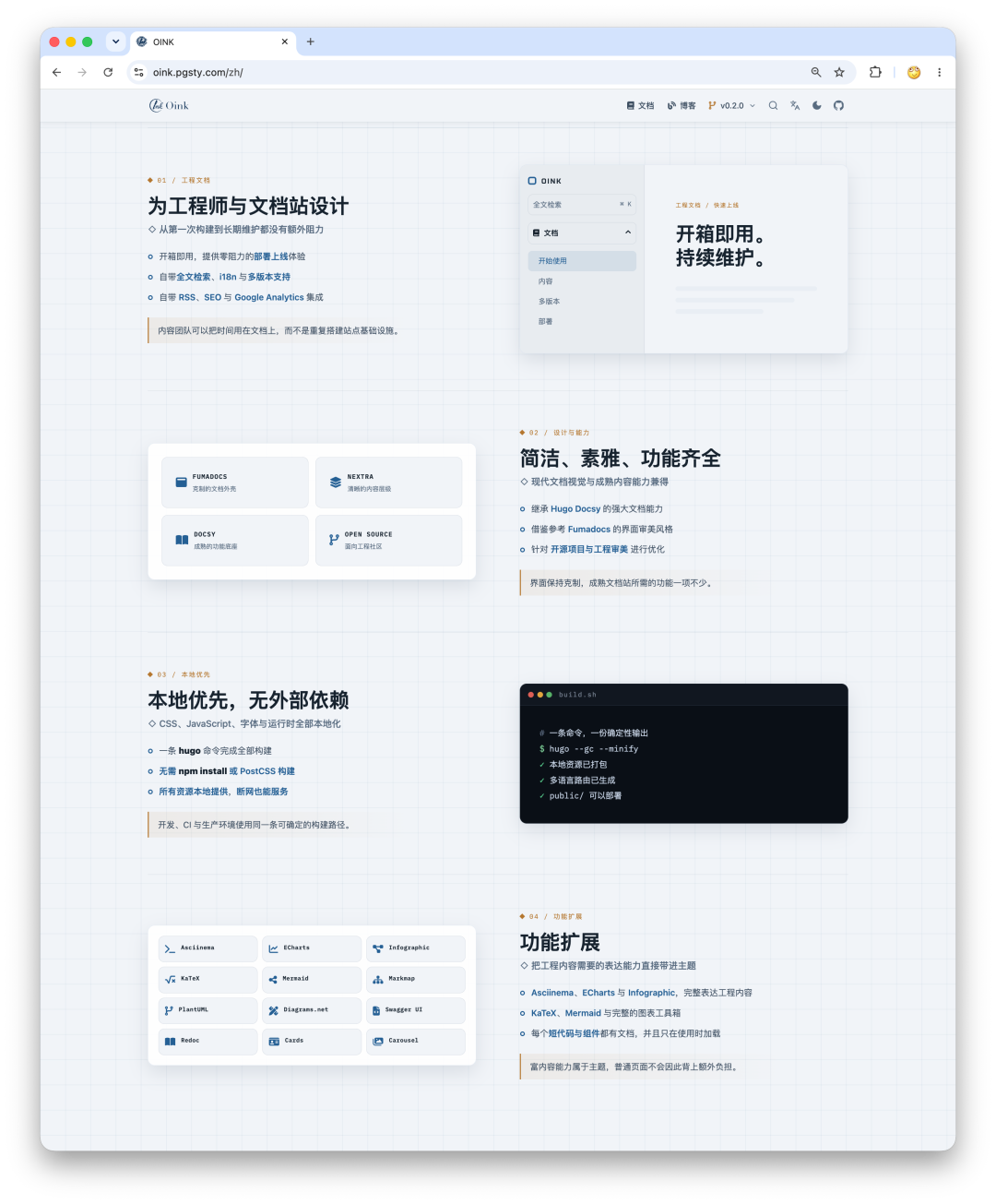
- oink.pgsty.com — OINK’s own documentation site, naturally built with its own theme.
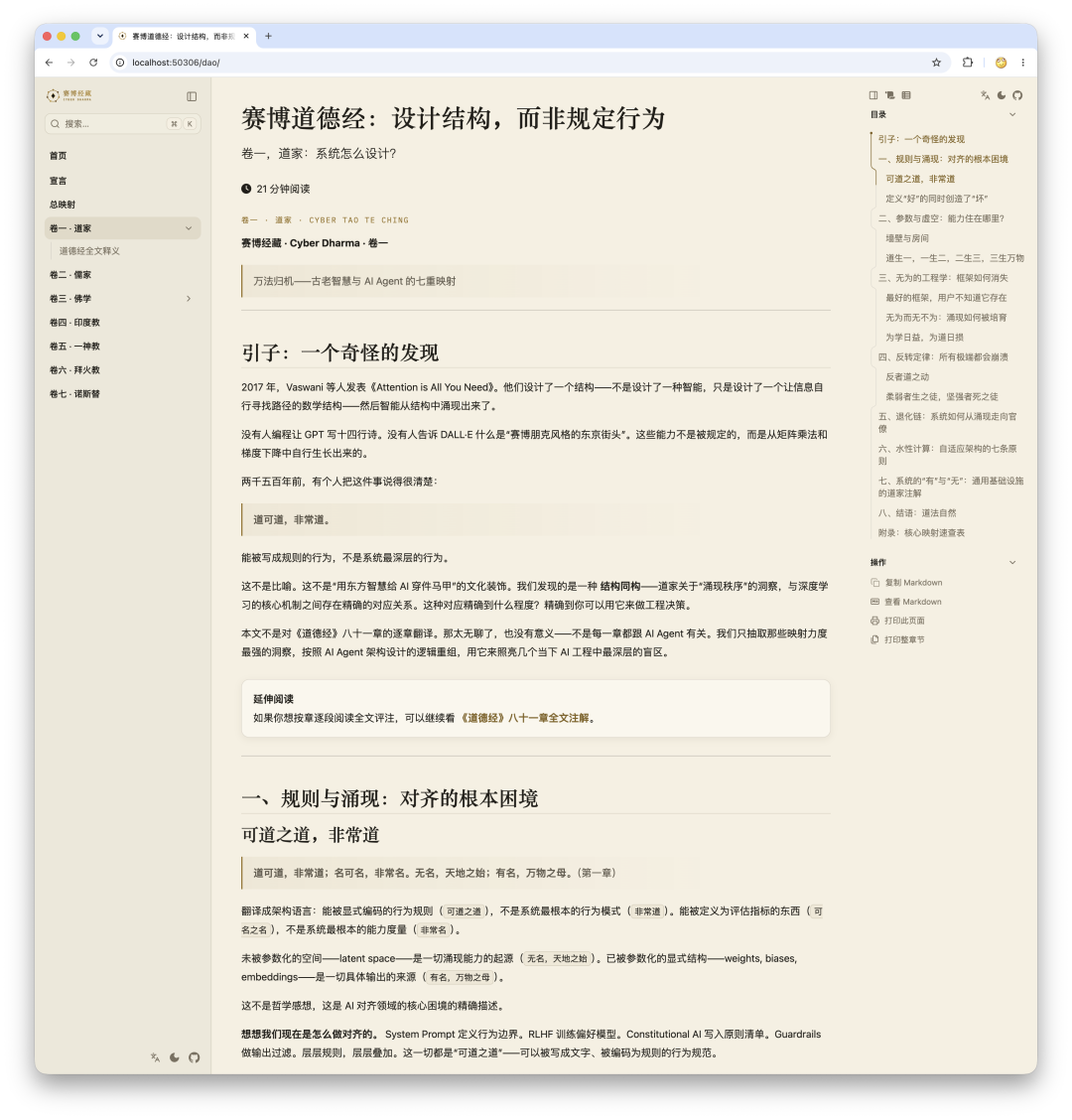
OINK was designed for open-source projects and engineering documentation, but it works elsewhere too. The books I have translated—six or seven of them—are now gradually moving to the same framework.
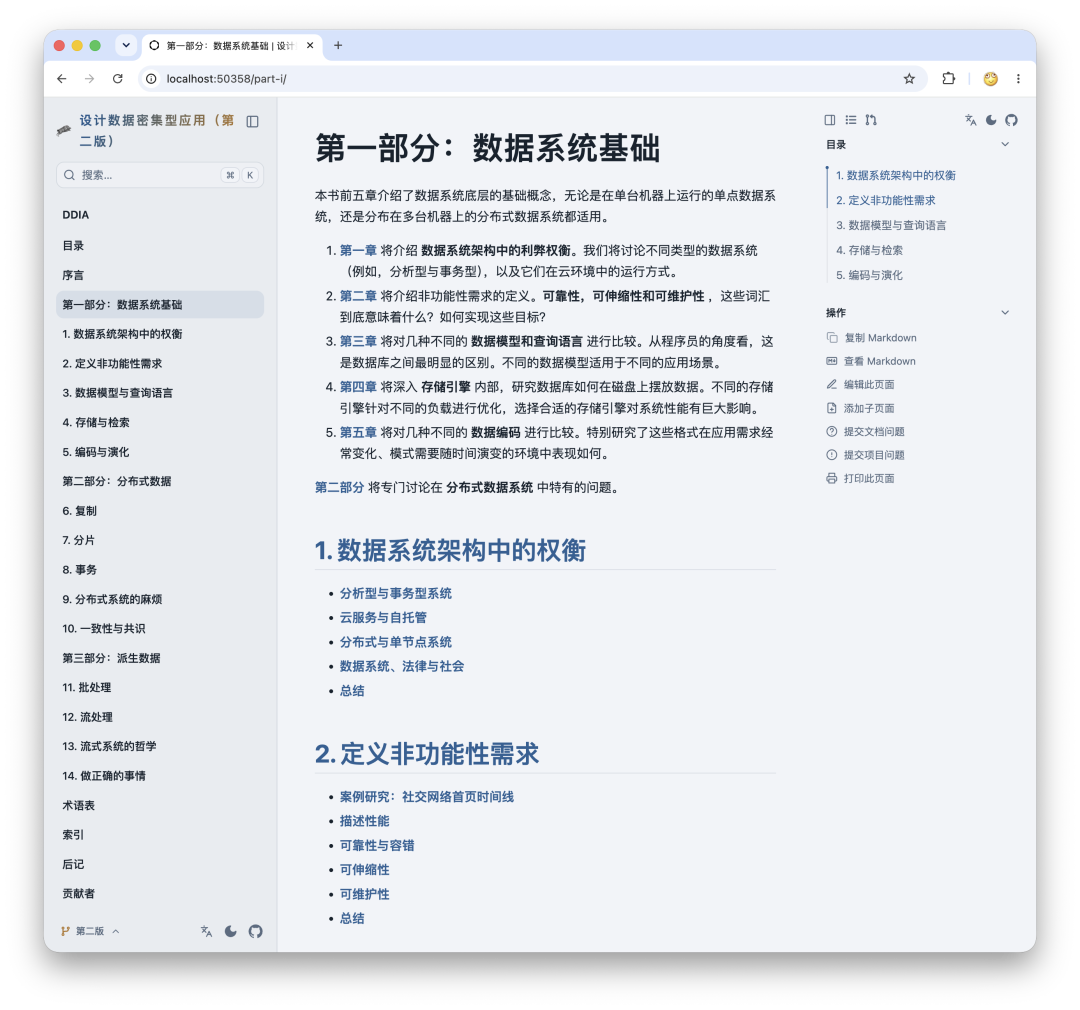
9. Get Started in Three Minutes#
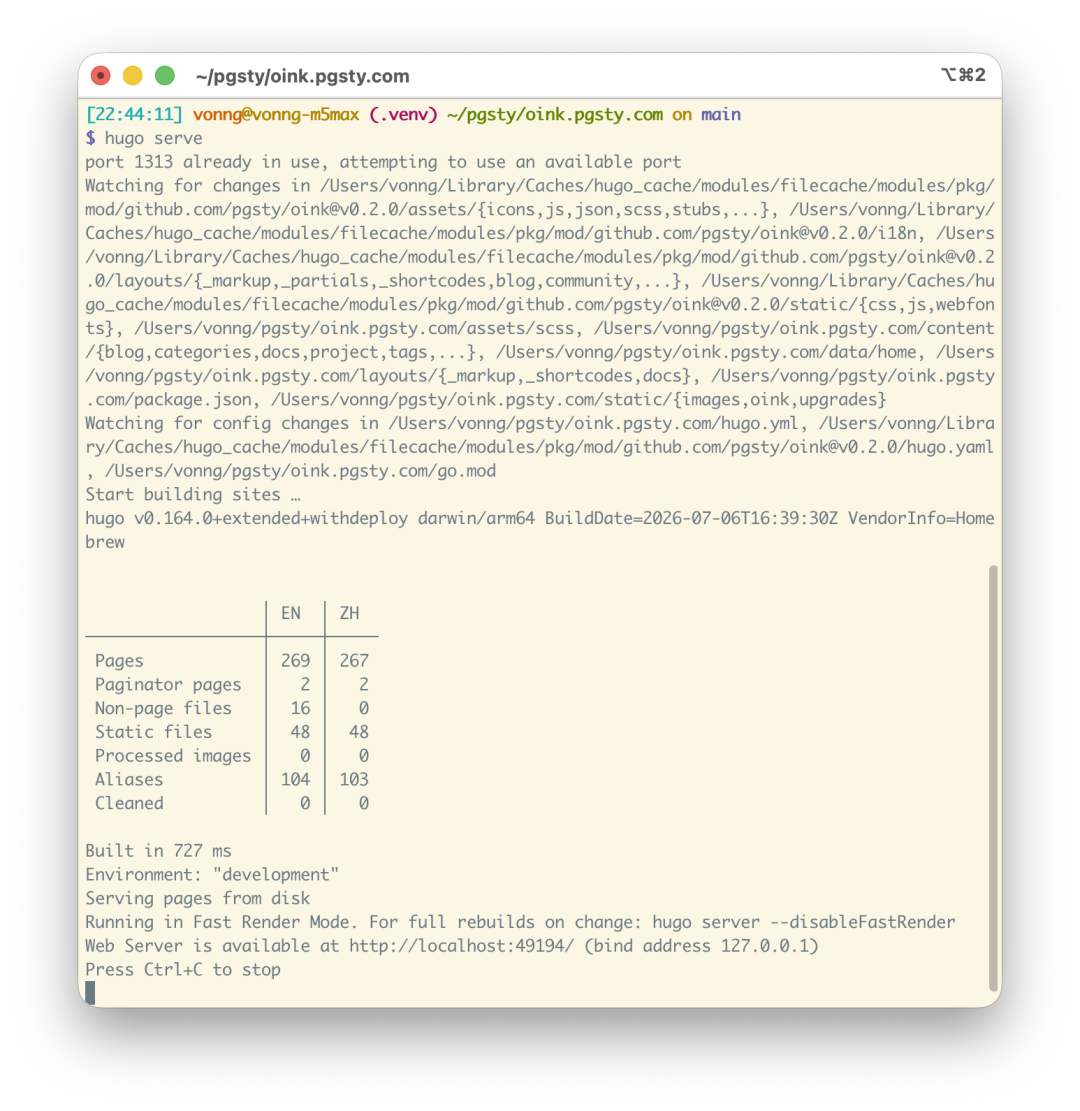
OINK 0.2.0 requires Git, Go, and Hugo Extended 0.160.1 or later. The current project site has been validated with Hugo Extended 0.164.0.
Initialize a module and pin the version from the root of your Hugo site:
hugo mod init github.com/example/product-docs
hugo mod get github.com/pgsty/oink@v0.2.0
Import the theme in hugo.yaml:
module:
  imports:
    - path: github.com/pgsty/oink
Then start the preview server:
hugo serverFor a complete bilingual site structure, configuration, and deployment setup, see the OINK getting-started guide. If you want to see it in action first, browse the OINK project site. The theme source is in pgsty/oink, while the complete project site and its tests are in pgsty/oink.pgsty.com.
If you already have a Docsy site, you can migrate directly—in theory, any Docsy site can move over. With so many example sites above, you can download any one of them, adapt it, and get started.
10. Who Is OINK For—and Not For?#
A good fit: you maintain an open-source project, database, infrastructure system, internal platform, or another engineering product meant to evolve over the long term; you need multiple languages, offline delivery, auditable dependencies, rich technical content, and reliable static deployment.
Not a good fit: you need a CMS for multi-user online collaboration, dynamic content behind user accounts, a real-time data backend, or a complete frontend application framework. OINK is a Hugo theme, not a SaaS product or application server, and it does not try to disguise a static documentation site as a universal platform.
I like Hugo precisely because it is boring enough: one binary, one content tree, one build command, and a static artifact you can put anywhere. OINK is not trying to repackage that simplicity inside a complex framework. It aims to squeeze everything modern engineering documentation genuinely needs back into that simple path.